

Making an Issue Transfer and receiving it
Last updated:
"Edara" provides a robust supply transfer and receipt system that prevents any tampering with the received quantities by disallowing modifications to them.
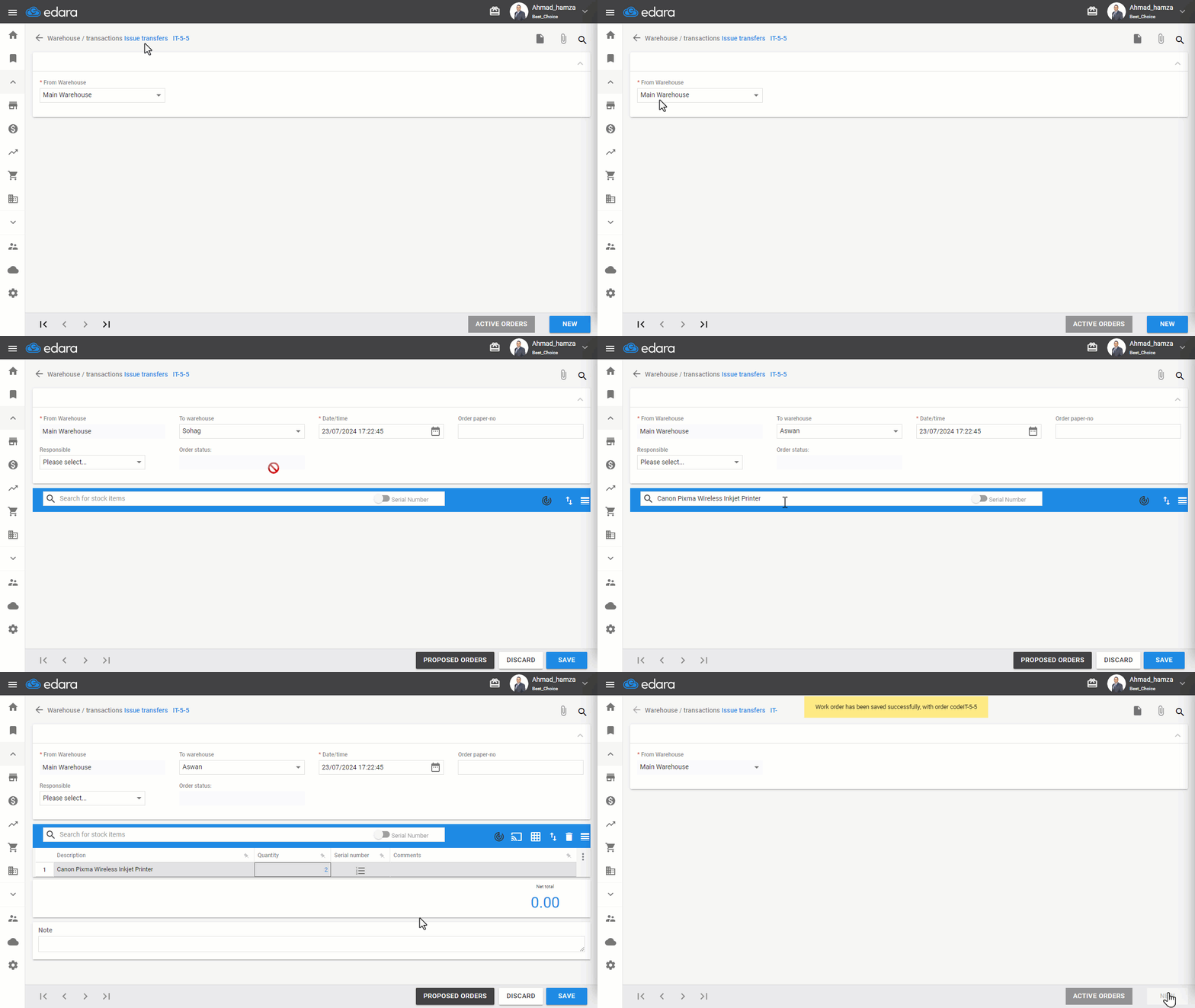
Transferring Supplies Using "Edara"
- Go to the Warehouse Module.
- Click on Issue Transfers.
- Select the warehouse you're transferring from.
- Click on "New".
- Choose the warehouse you're transferring to.
- Enter the items.
- Click "Save".
Receiving an Issue Transfer
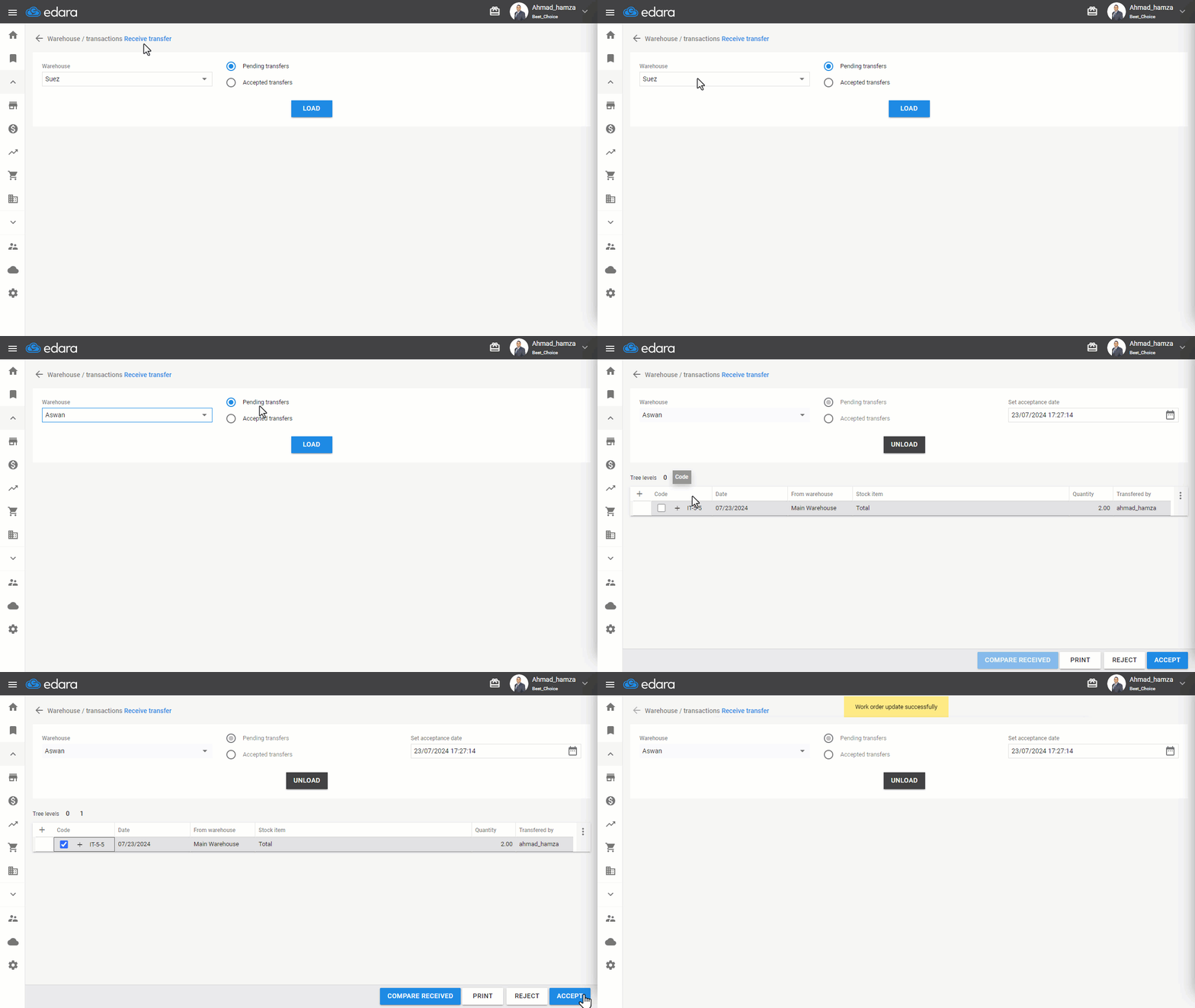
- Go to the Warehouse Module.
- Click on Receive Transfers.
- Select the warehouse receiving the transfer.
Note: The default setting here is "Pending Transfers" to view orders transferred to the warehouse. You can select "Accepted Transfers" to view transfer orders that have already been received within a specific time frame.
- Click on "Load".
Note: You can click on the "+" icon to view the details of the order.
- Click on 🔲 to select the transfer order.
- Click "Accept" to receive it.
Frequently asked questions
How do I view transfer orders that were already received?
The default setting here is "Pending Transfers" to view orders transferred to the warehouse. You can select "Accepted Transfers" to view transfer orders that have already been received within a specific time frame.
If you encounter any challenges or have questions during these processes, you can contact our technical support team, who are ready to assist you at any time.