

Integration with a Third Party Using the API
Last updated:
If you manage a store inside a mall, the mall management may need to track sales orders of each store. To achieve this, you can integrate Edara with the mall’s system to instantly share sales order data.
Integration with a Third Party Using the API
Follow these steps to complete the integration:
1. Create an Integration User (Token) in “Edara”
- Go to “Data”.
- Open the “Integration” page
- Click on “Manage” under “Rest APIs”.
- Click on “Add New User”.
- Enter a description (name) for the integration user (Token).
- Grant the following permissions: “Get Warehouse by Name” and “Return a list of sales documents by specific criteria”
- Click on “Save”.
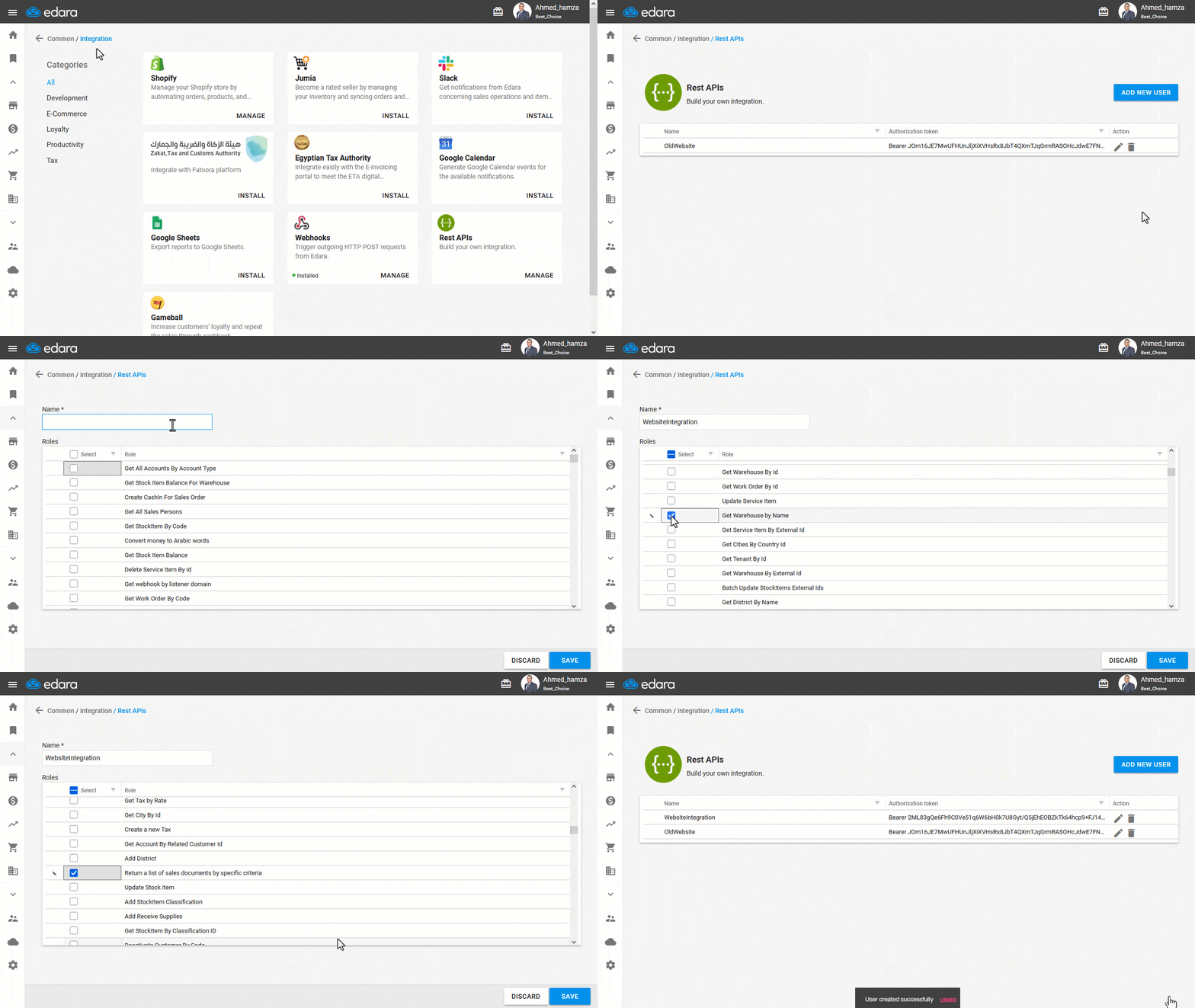
Note: This user is created exclusively for API integration and cannot be used to log in to the Edara application.
2. Grant User Permissions for Warehouse and Items
The integration user (Token) must have permissions to access the warehouse and items. To configure this, refer to the following articles:
- Granting\ Revoking a Warehouse Access Permission (for the branch you want to integrate)
- Granting\ Revoking Data Access Permission
Notes:
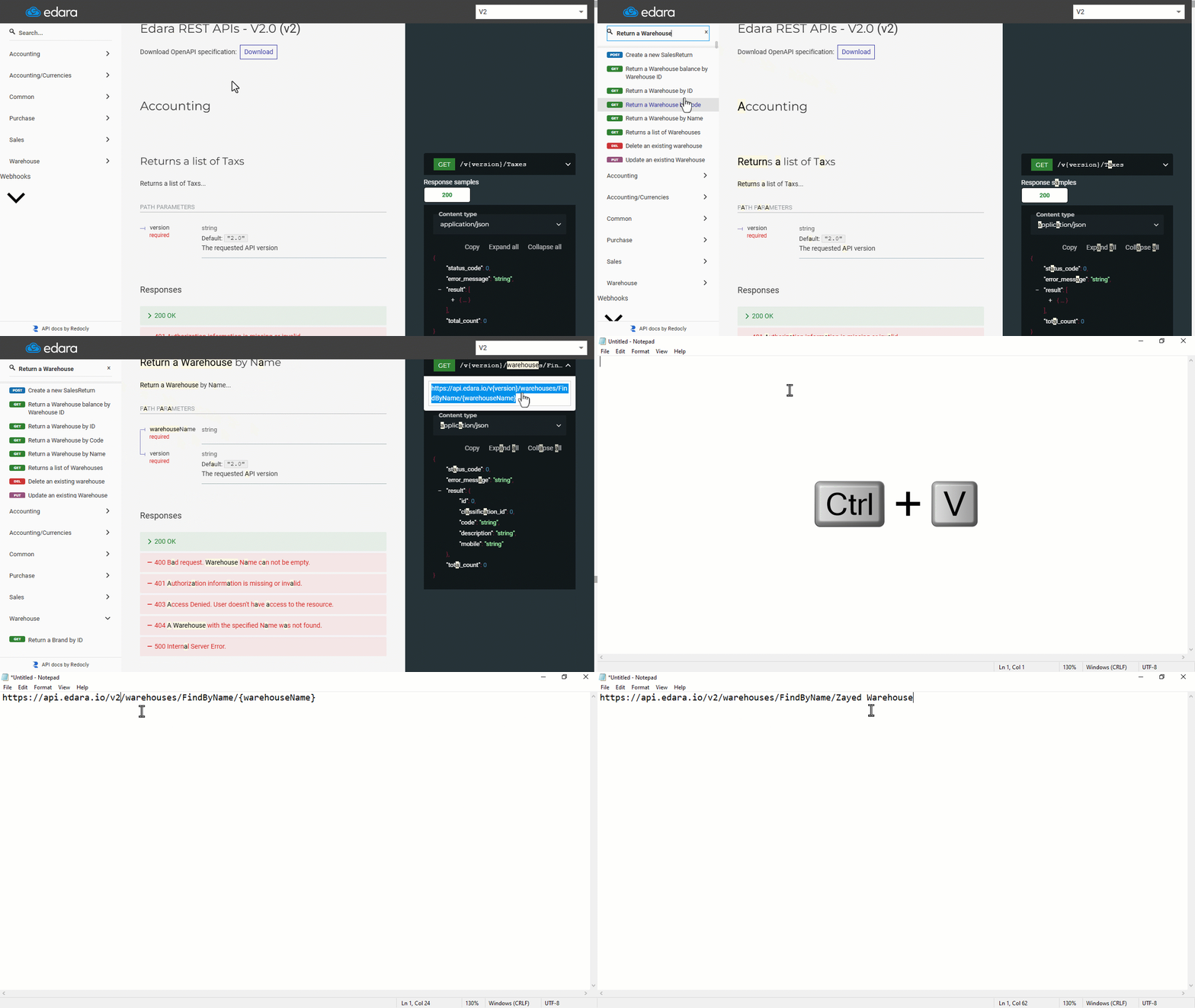
- Before performing the following steps, make sure you have an API endpoint testing tool.
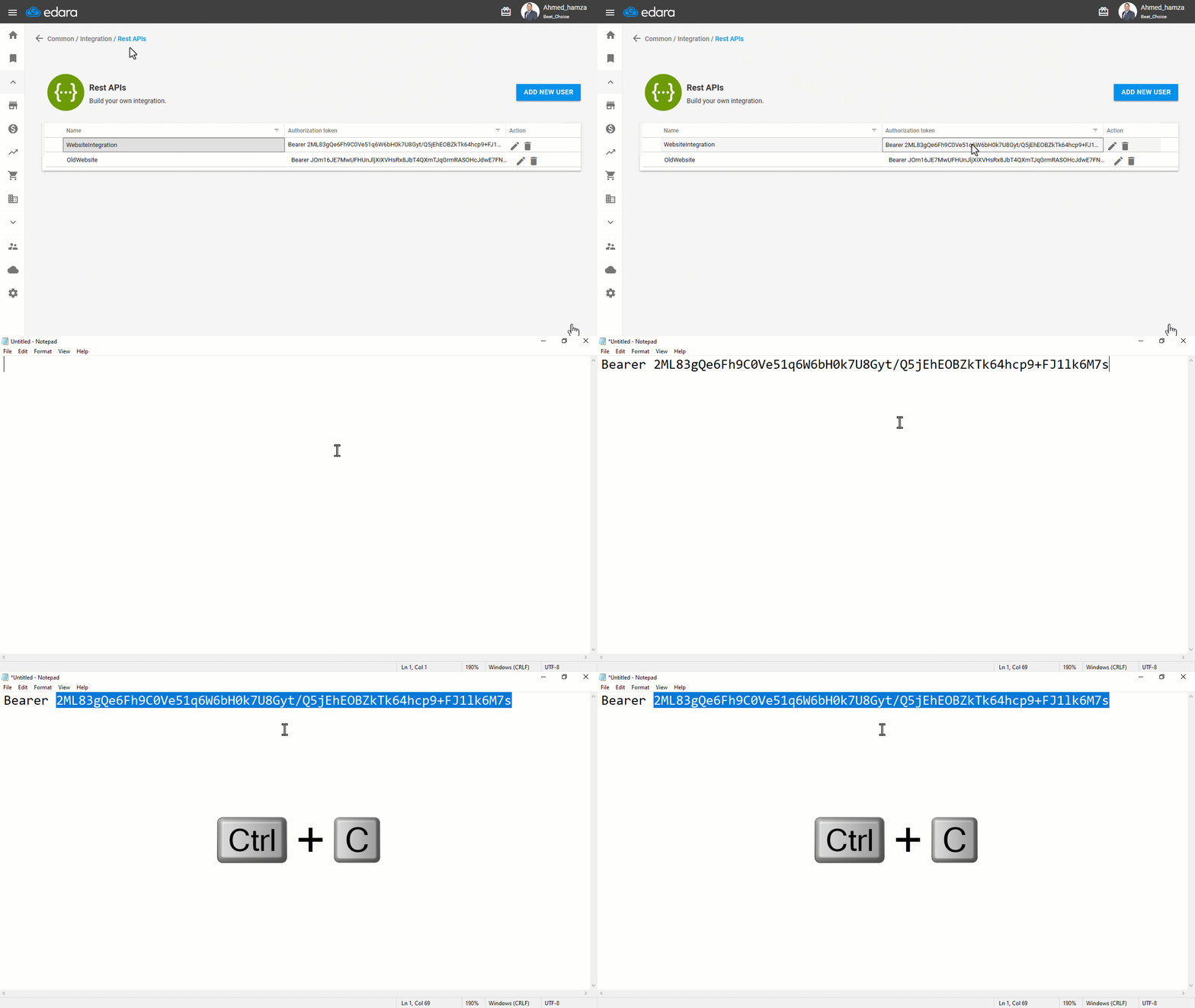
- When adding the authorization token, ensure it is of type “Bearer”, then make sure to remove the word Bearer from the token itself. Also, verify that there are no extra spaces at the beginning or end.
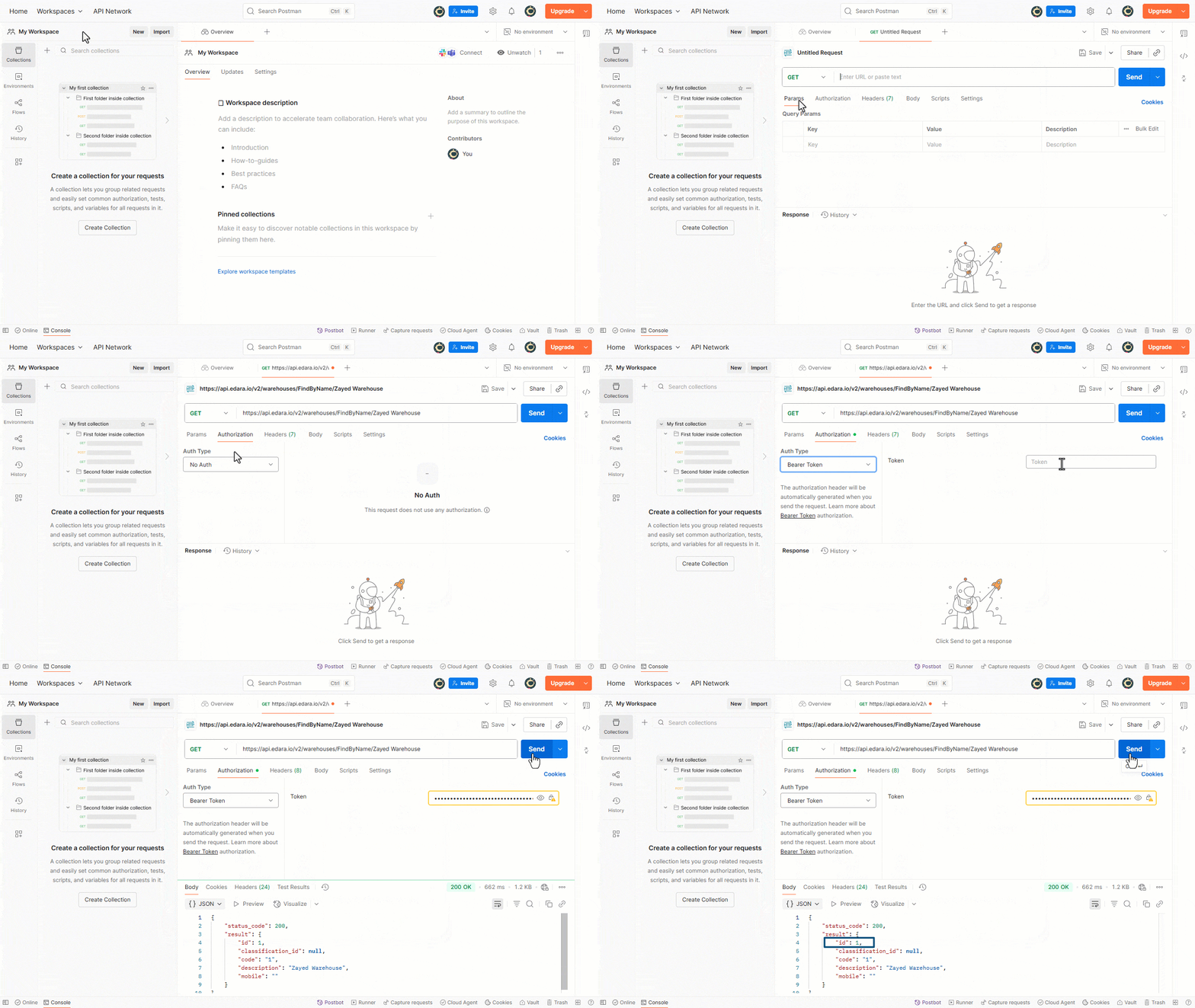
3. Retrieve the Warehouse ID
The first step the third-party developer needs to perform is retrieving the warehouse ID. To do this, they will need:
- The warehouse name as it appears in Edara
- The endpoint: “Return a Warehouse by Name”
Example endpoint call:
https://api.edara.io/v2/warehouses/FindByName/Main
The response will return the warehouse ID based on the provided warehouse name.
4. Retrieve Sales Orders via API
When calling the API, make sure to include the following parameters:
- Warehouse ID (Required): Integer
- Date From (Required): Date-time string (e.g., 2020-01-08T00:00:00.00Z)
- Date To (Required): Date-time string (e.g., 2020-01-08T00:00:00.00Z)
- Document Type: SO, SR, or NULL
API Sample:
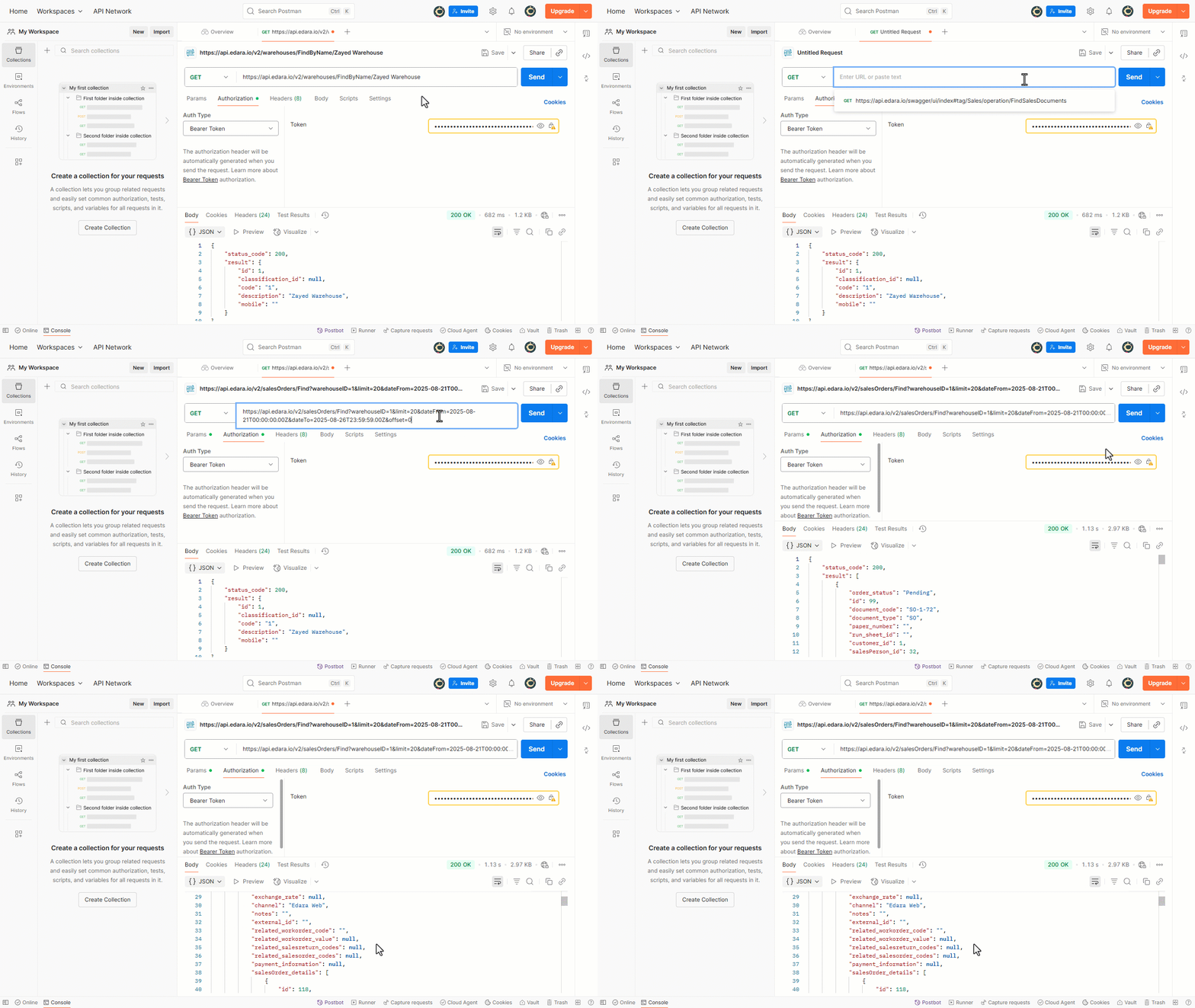
Important Notes:
- The maximum limit for retrieving sales orders is 1000 transactions per call.
- Service-only documents cannot be retrieved using this endpoint.
- If the Response Code is not 200 when calling the API, check the API URL, ensure the authorization token is entered correctly, and verify that the integration user has the required permissions.
- You can access more endpoints through the Integration Support Center.
Frequently asked questions
Can the integration user log in to “Edara”?
This user is created exclusively for API integration and cannot be used to log in to the Edara application.
What is the maximum number of orders per call?
The maximum limit for retrieving sales orders is 1000 transactions per call.
If you encounter any challenges or have questions during these processes, you can contact our technical support team, who are ready to assist you at any time.