

Removing System Transactions
Last updated:
If you want to delete all transactions made during the training period in preparation for actual operations, you can do so without needing to contact customer support or send an email. However, this action requires the business owner’s approval for the deletion request.
Here are the steps.
Removing System Transactions
- Go to Data.
- Select "Remove System Data".
- Click on "Get Authorization".
A verification code will be sent to the business owner's email.
- Contact the business owner to obtain the verification code.
- Enter the 6-digit Verification Code.
- Click on "Remove".
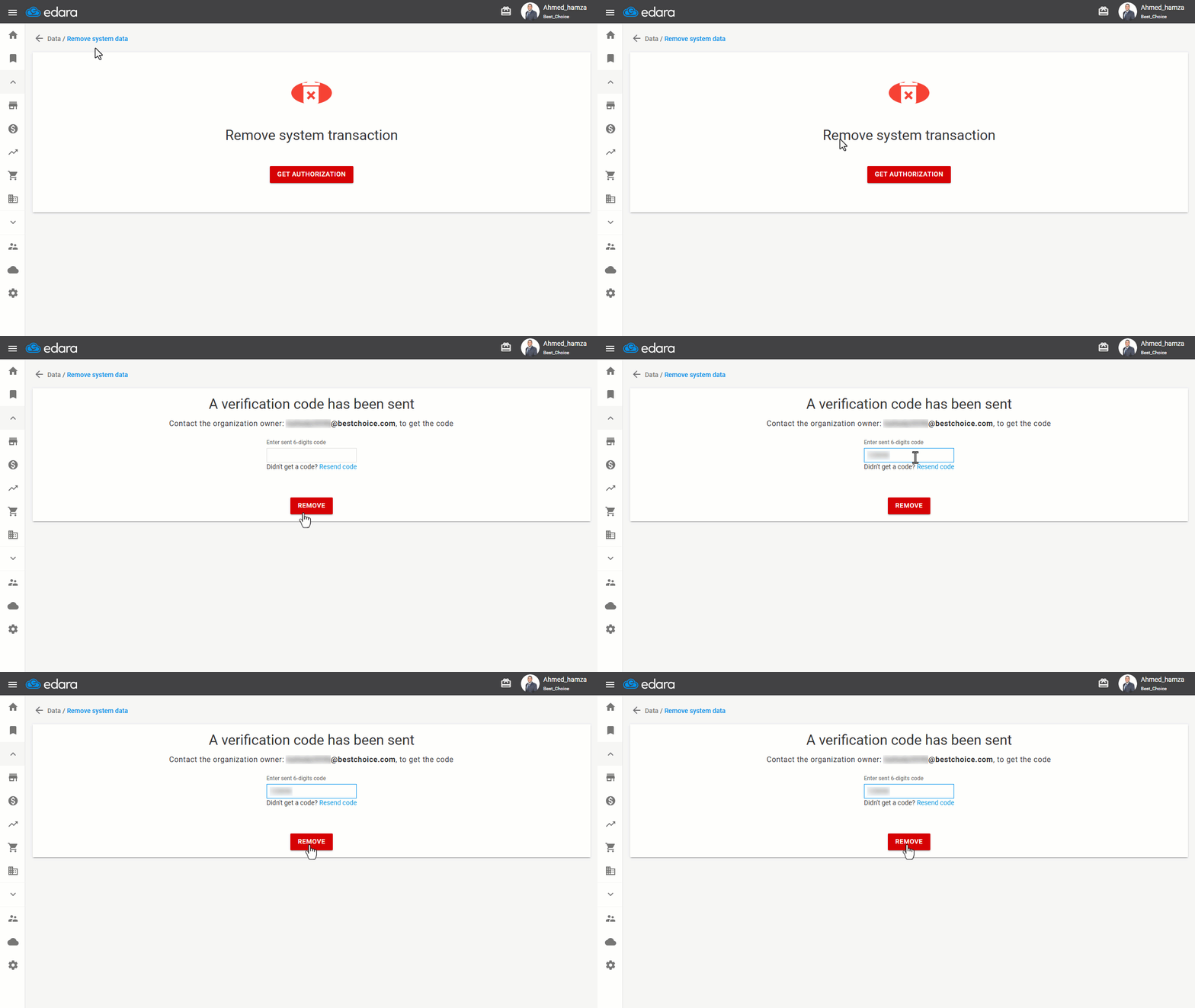
You will then see a confirmation message to complete the verification.
If you encounter any challenges or have questions during these processes, you can contact our technical support team, who are ready to assist you at any time.
Did this answer your question?