

Creating a Purchase Request
Last updated:
If you manage a store and need to purchase new products from suppliers regularly, you can easily create purchase requests using “Edara”.
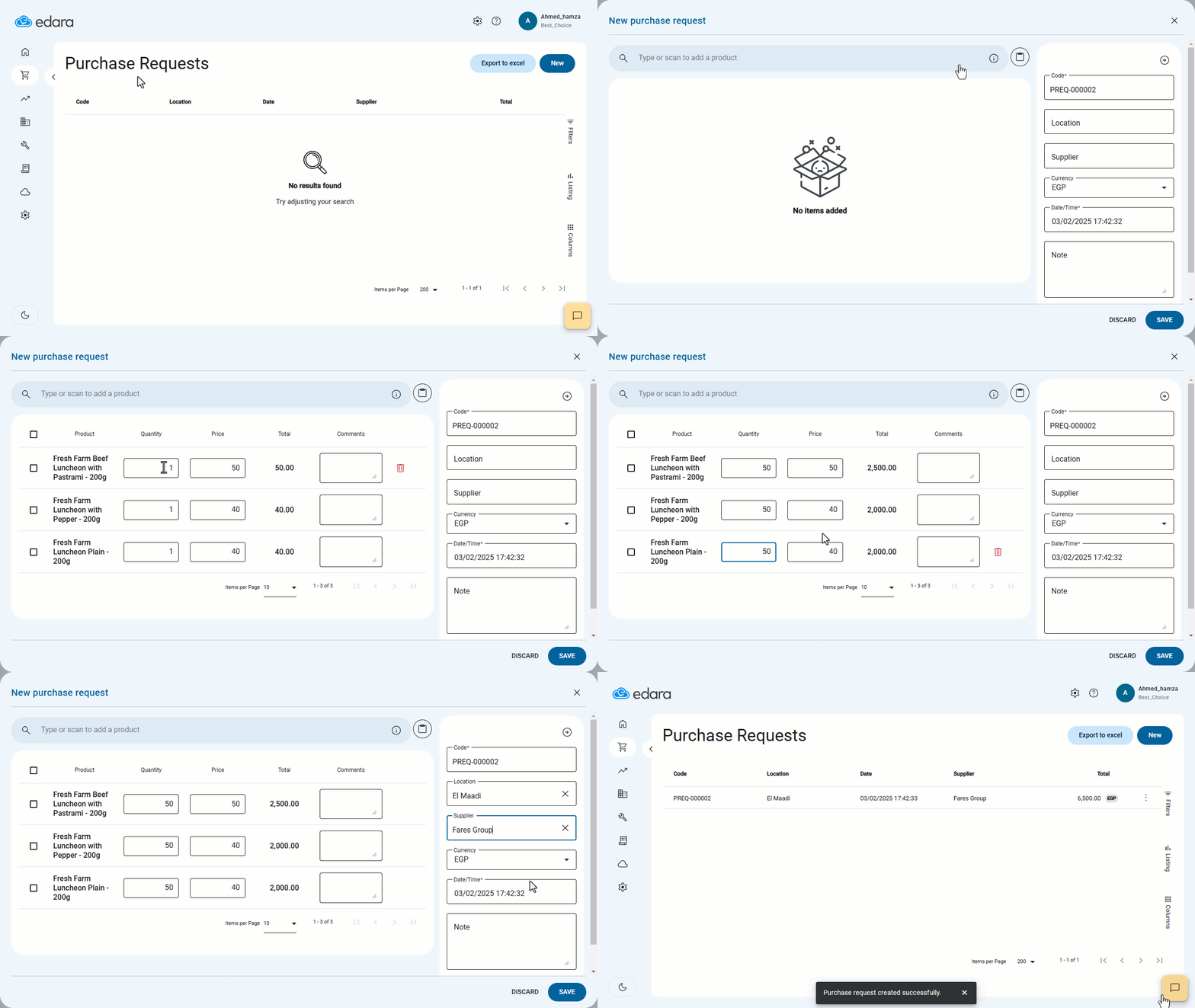
Creating a Purchase Request
- Go to the Purchase module.
- Open the “Purchase Requests” page.
- Click on "New".
- Select the required products using the search tool “🔎”.
- Specify the desired quantity.
- Choose the supplier.
- Select the location (if applicable).
- Click "Save".
Note: A purchase request is an initial step that must be followed by a purchase order. You can either create a purchase order directly from a previous purchase request or review past requests to create a new one.
If you encounter any challenges or have questions during these processes, you can contact our technical support team, who are ready to assist you at any time.
Did this answer your question?