

Comparing Cost Centers for a Specific Period
Last updated:
"Edara" allows you to easily compare cost centers for a specific period by displaying them side by side, along with a column for the total in the vertical financial statement.
This helps enhance understanding of each cost center's financial performance by analyzing cost differences and identifying areas that need improvement.
Here are the steps to do this.
Comparing Cost Centers for a Specific Period
- Go to the Accounting Module.
- Select "Vertical Financial Statement".
- Choose to group columns by "Cost Centers".
- Select the period from "Date".
- Click "Generate".
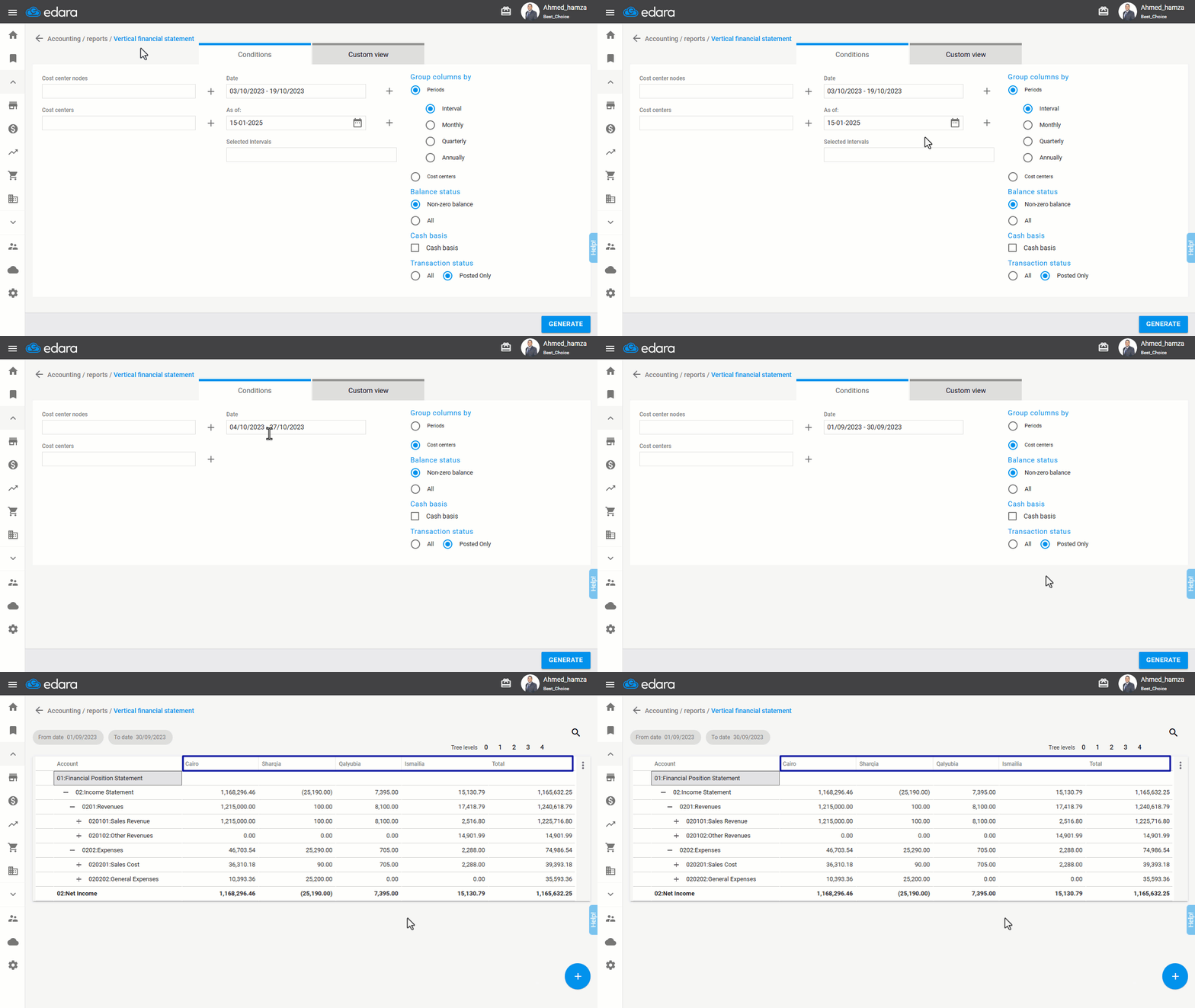
Note: You can export the report to Excel, or Google Sheets, or print it by clicking on "+".
If you encounter any challenges or have questions during these processes, you can contact our technical support team, who are ready to assist you at any time.
Did this answer your question?