

Settling warehouse increase by selecting a specific cost method for the document
Last updated:
If you have items with quantities exceeding the available balance, you can use “Edara” to settle these surpluses based on a specified costing method.
You can choose a costing method such as "Average Cost", "Last RS Price", or "Zero Price" to determine the suggested value for the surplus. The system will automatically generate a receive supplies document for the surplus items with the specified cost, facilitating accurate inventory settlement.
Settling warehouse increase by selecting a specific cost method for the document
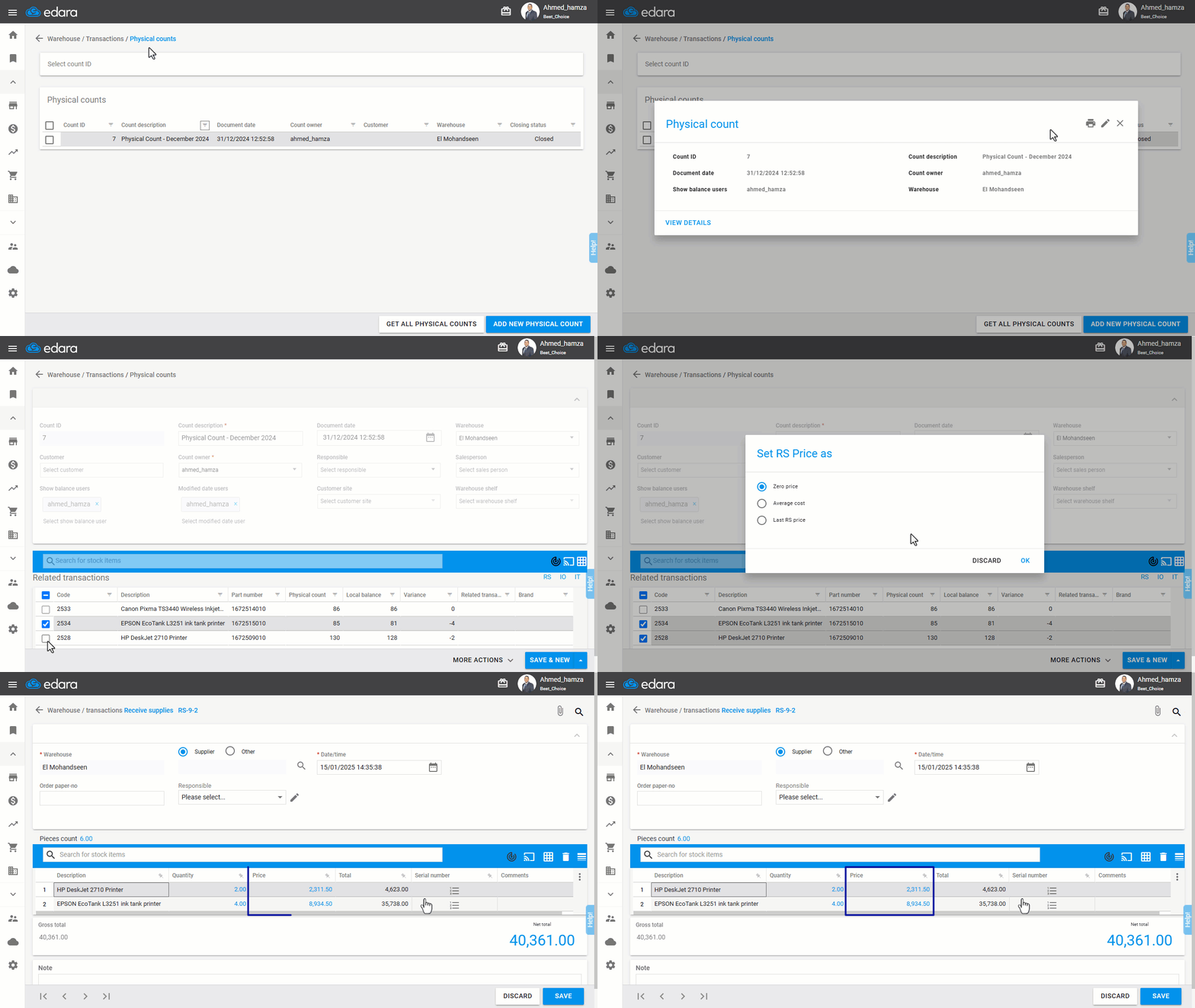
- Go to the Inventory module.
- Open the “Physical Count” page.
- Display a closed physical count document containing items with surplus quantities.
- Click the Edit icon ”
 ”.
”. - Select the item(s) with surplus quantities by checking the box on the left of the row ("⬜" will change to "☑️"). Potential settlement document links (RS/IO/IT) will appear.
- Click the RS document link.
- Choose the desired cost suggestion method: (Average Cost - Last RS Price - Zero Price).
Note: A zero price here means that the cost must be entered manually by the user, as the document cannot be saved if there are stock items with a price of "zero".
- Click “OK”.
Frequently asked questions
What does "Zero Price" mean when settling a surplus?
A zero price here means that the cost must be entered manually by the user, as the document cannot be saved if there are stock items with a price of "zero".
If you encounter any challenges or have questions during these processes, you can contact our technical support team, who are ready to assist you at any time.