

Adding a Static IP Address
Last updated:
Specifying allowed IP addresses helps you control where users can log in, ensuring that accounts are not used outside the company, and allowing you to grant Exception users when necessary.
Adding a Static IP Address
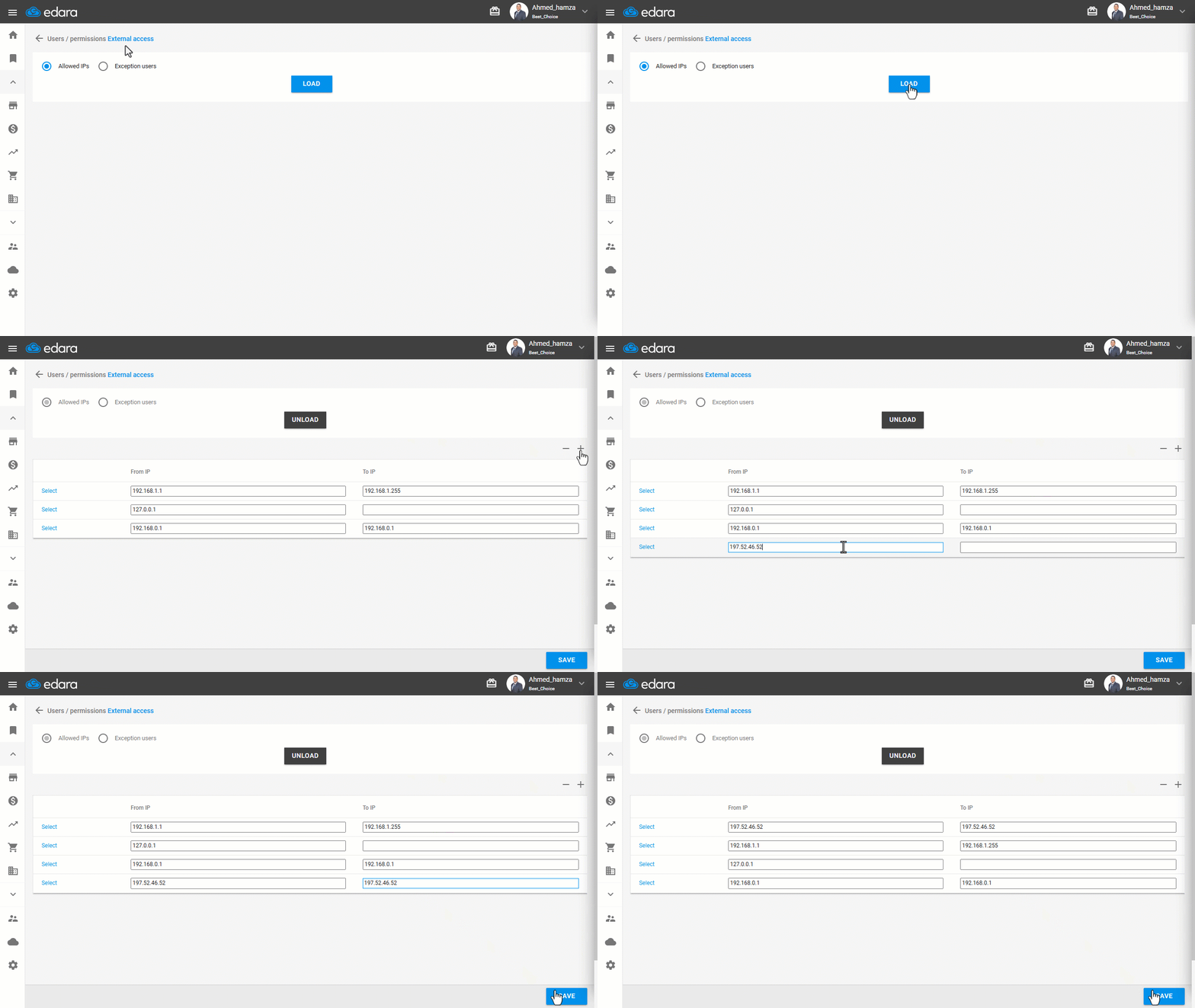
- Go to “Users”.
- Open the “External Access” page.
- Select “Allowed IPs”.
- Click on “Load”.
- Click on “+”.
- Enter the IP address.
- Click on “Save”.
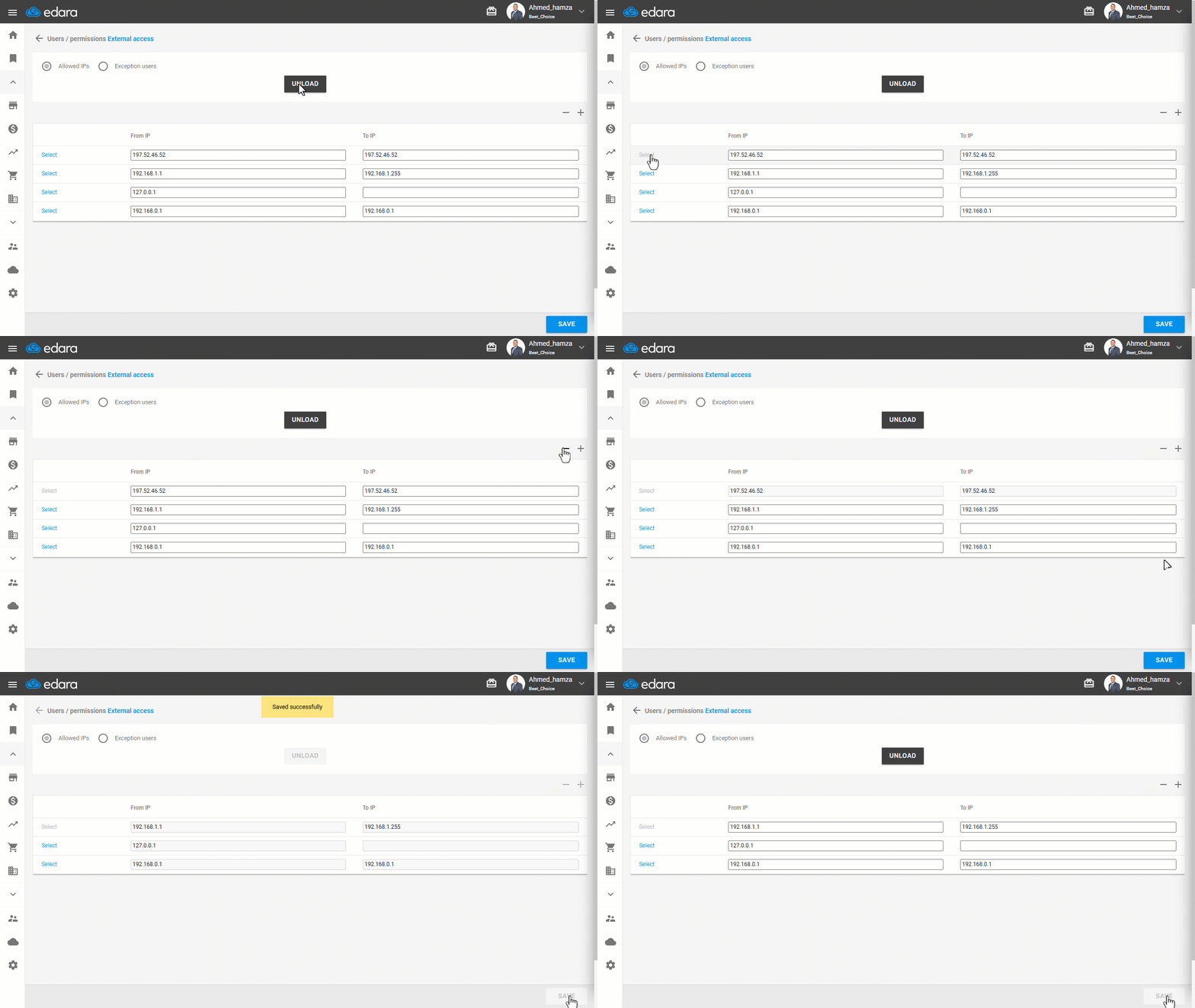
Note: You can delete a Static IP address by following these steps:
- Click on “Select”.
- Click on “−”.
- Click on “Save”.
Frequently asked questions
How do I delete a static IP address?
You can delete a Static IP address by following these steps: Click on “Select”, Click on “−”, Click on “Save”.
If you encounter any challenges or have questions during these processes, you can contact our technical support team, who are ready to assist you at any time.
Did this answer your question?