

Viewing the Deleted Documents Report
Last updated:
Prevent tampering and identify errors using the Deleted Documents Report in "Edara". This report provides key details, including the document code, original date, creation time, and more. You can also export the data to Excel for further analysis.
How to View the Deleted Documents Report
- Go to Users.
- Click on Deleted Documents Report.
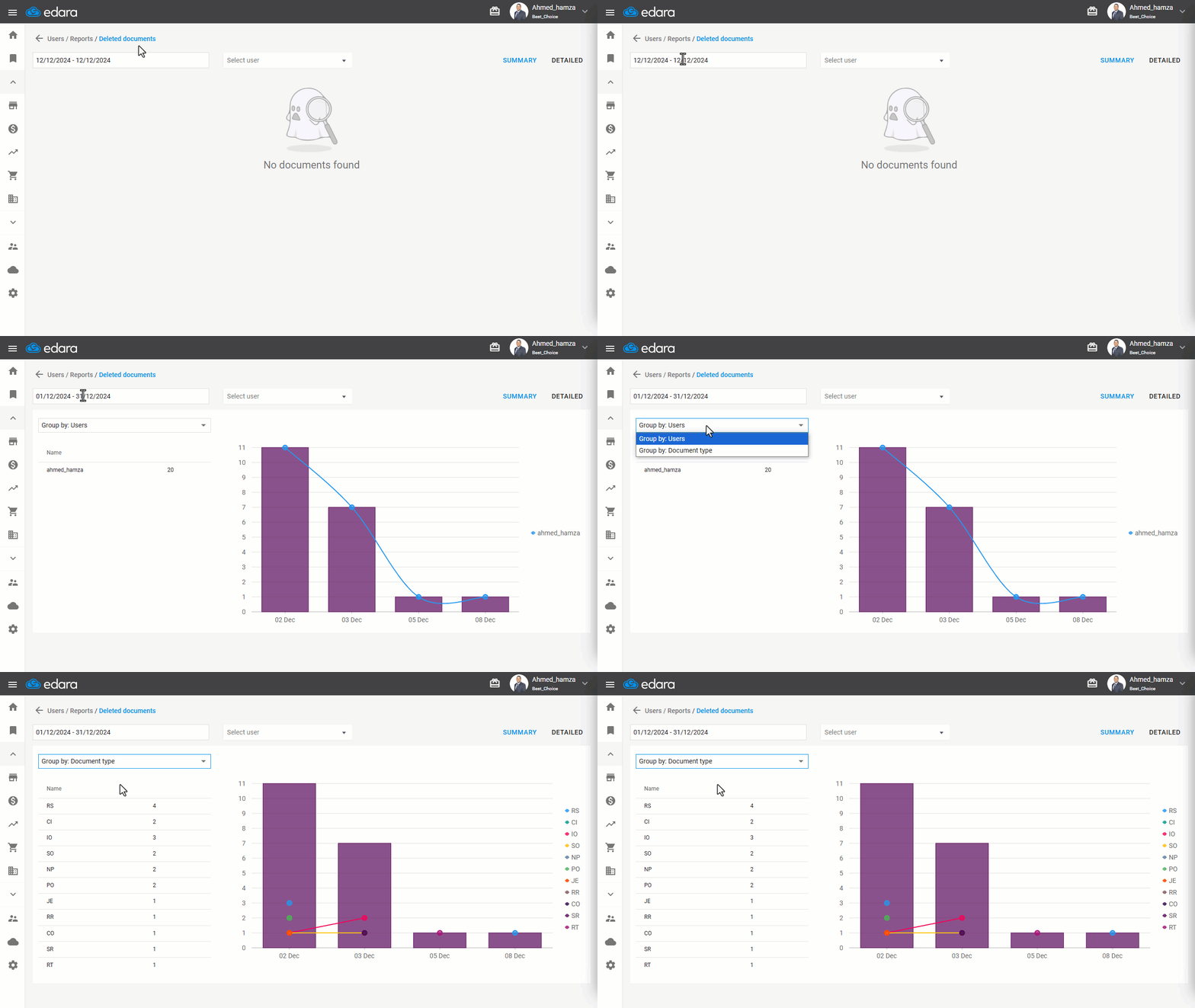
- Specify the time range for the documents you want to display.
Note: You can choose between a Summary Report and a Detailed Report.
Summary Report
Grouped by Users: Displays the number of documents deleted by each user, along with a graphical representation of the deletions during the selected period.
Grouped by Document Type: Shows the document type’s abbreviation and the number of deleted documents for each type.
Detailed Report
This report provides specific details for each deleted document, including:
- Document code
- Document date
- Document creation time
- Associated party
- Total document value
- Deletion date
- Deletion time
- User responsible
- Linked documents
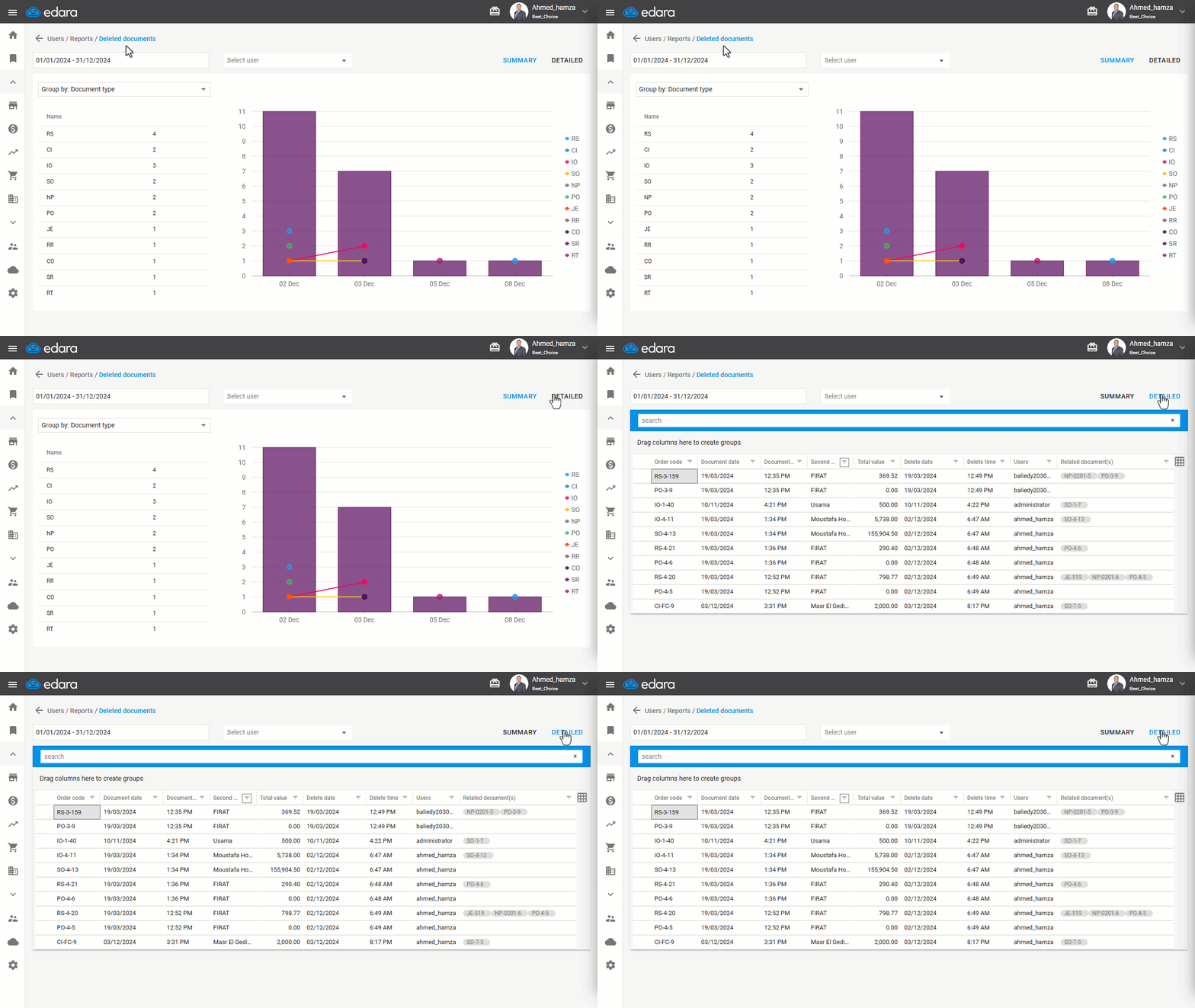
Note: You can filter by the user before generating the report.
If you encounter any challenges or have questions during these processes, you can contact our technical support team, who are ready to assist you at any time.