

Displaying Production Planning Data
Last updated:
The Production Planning page displays sales orders that include manufacturing items for which a Bill of Materials (BOM) has been created, allowing you to track them and later convert them into production orders.
Displaying Production Planning Data

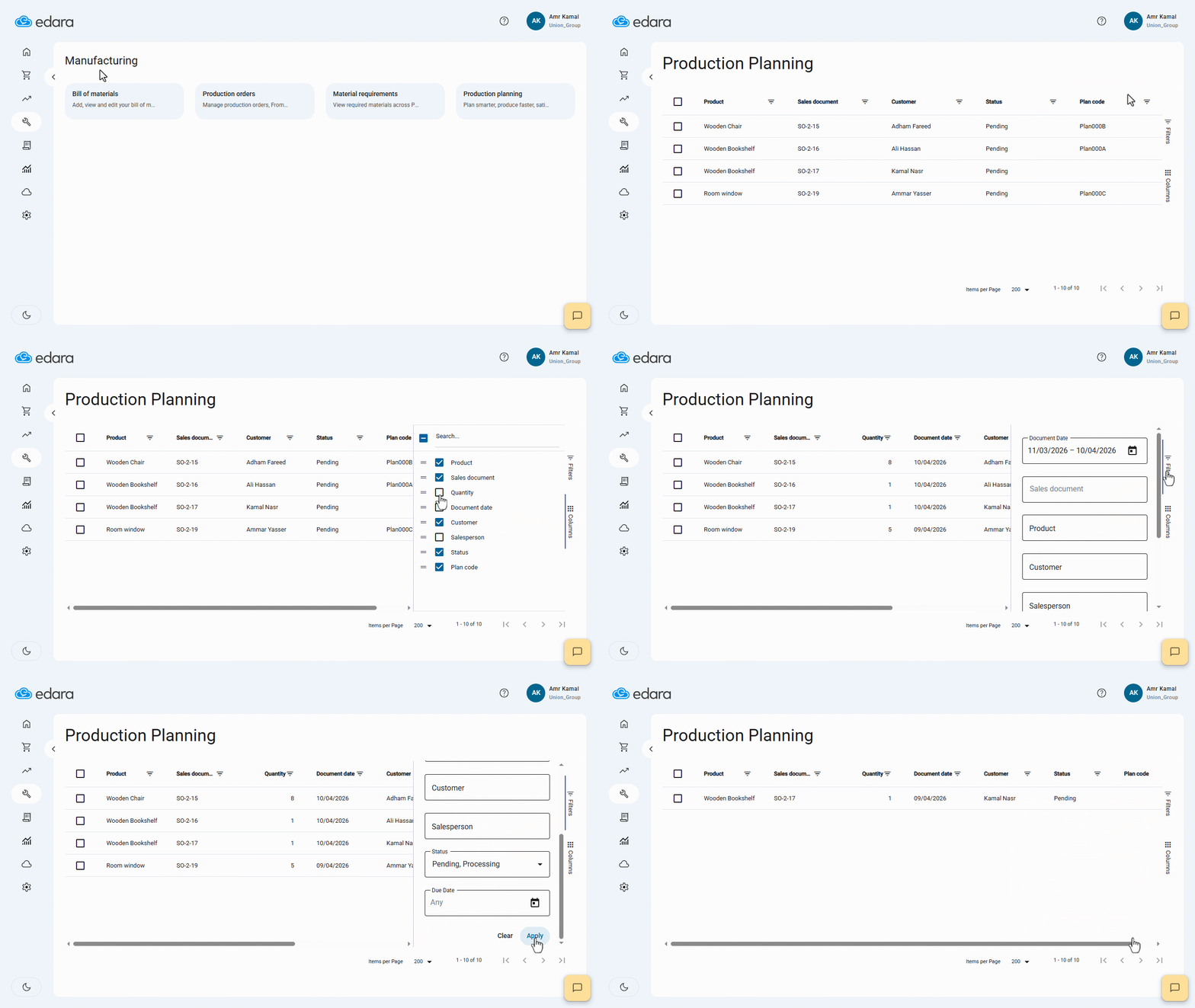
- Go to the “Manufacturing” module.
- Open the “Production Planning” page.
- Click on “Columns”.
- Enable the columns you want to display.
- Click on “Filters”.
- Select the conditions you want to filter by.
- Click on “Apply”.
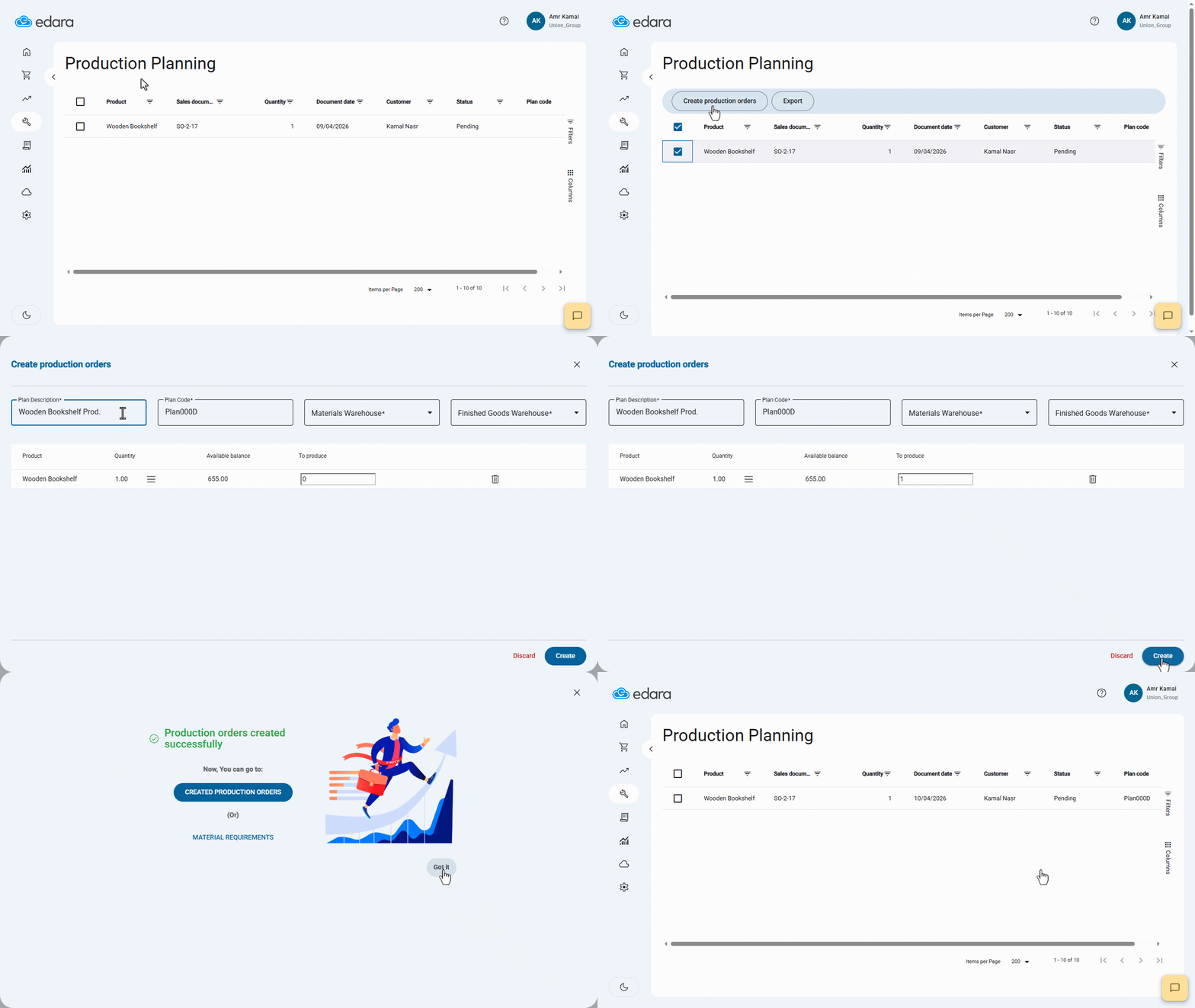
Note: You can export products or create production orders for them by selecting the required products. Then, two options will appear: "Export" and "Create Production Orders".
Frequently asked questions
How do I create production orders from the Production Planning page?
You can export products or create production orders for them by selecting the required products. Then, two options will appear: "Export" and "Create Production Orders".
If you encounter any challenges or have questions during these processes, you can contact our technical support team, who are ready to assist you at any time.
Did this answer your question?