

Paying Incentives Using the Sales Target Report
Last updated:
You can review target results through the Sales Target Report, identify the salespersons eligible for the related incentives, then approve and execute those incentives. This helps motivate salespersons and reward them based on their level of achievement.
Paying Incentives Using the Sales Target Report
First, make sure that a Sales Target has been created, then create a Sales Incentive and link it to that target. After that, follow these steps:
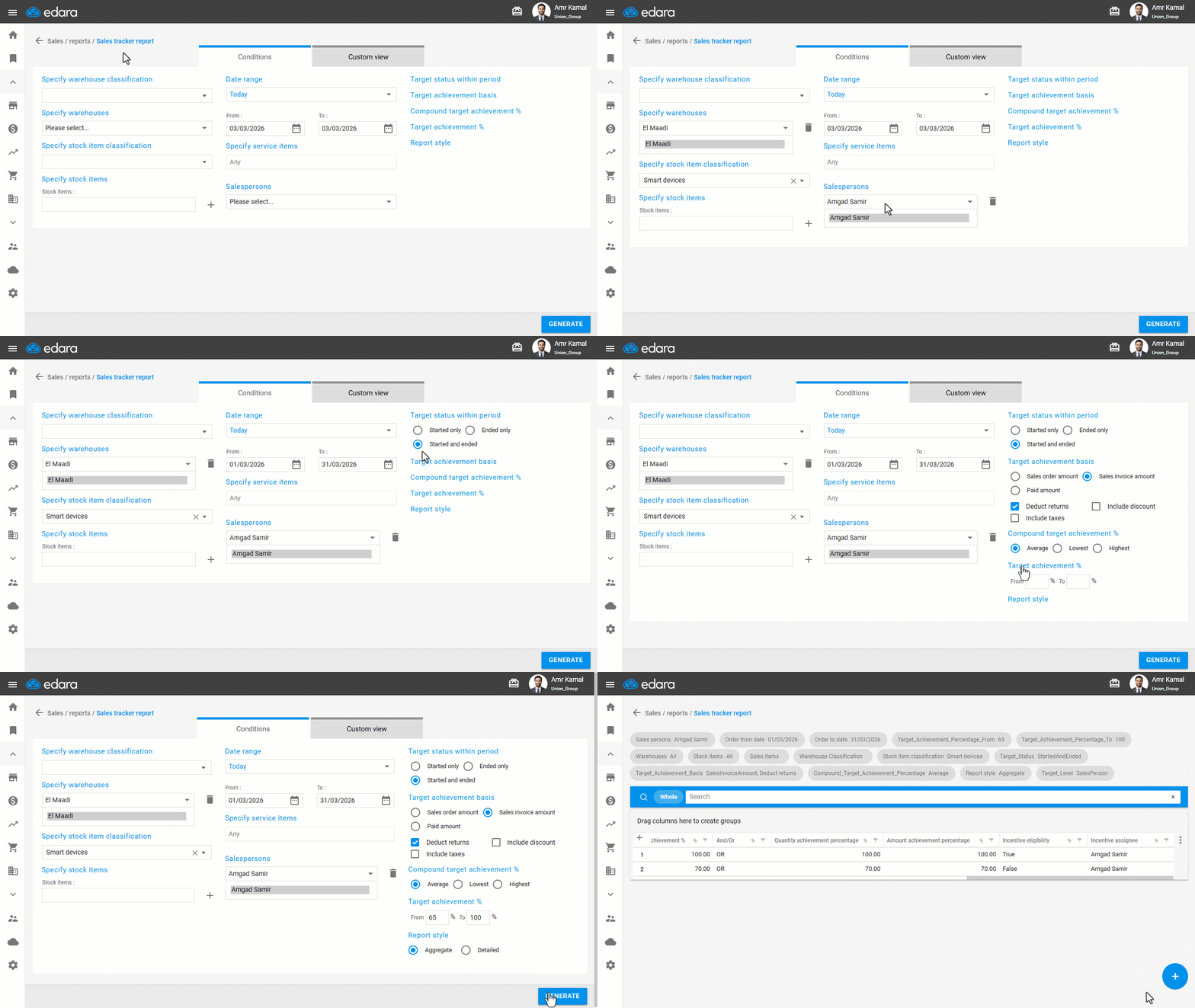
Displaying the Sales Target Report
- Go to the "Sales" Module.
- Open the "Sales tracker report" page.
- Select the warehouses.
- Specify the stock item classification.
- Select the salesperson. (When a salesperson is selected, all Sales Target documents associated with them will be displayed.
- Specify the date range.
- Select the sales target status within the period.
- Choose the target achievement basis.
- Select the compound target achievement method (Average - Lowest - Highest).
- Specify the percentage range for which you want to display results.
- Choose the report style (Aggregate - Detailed).
- Click on "Generate".
Approving an Incentive
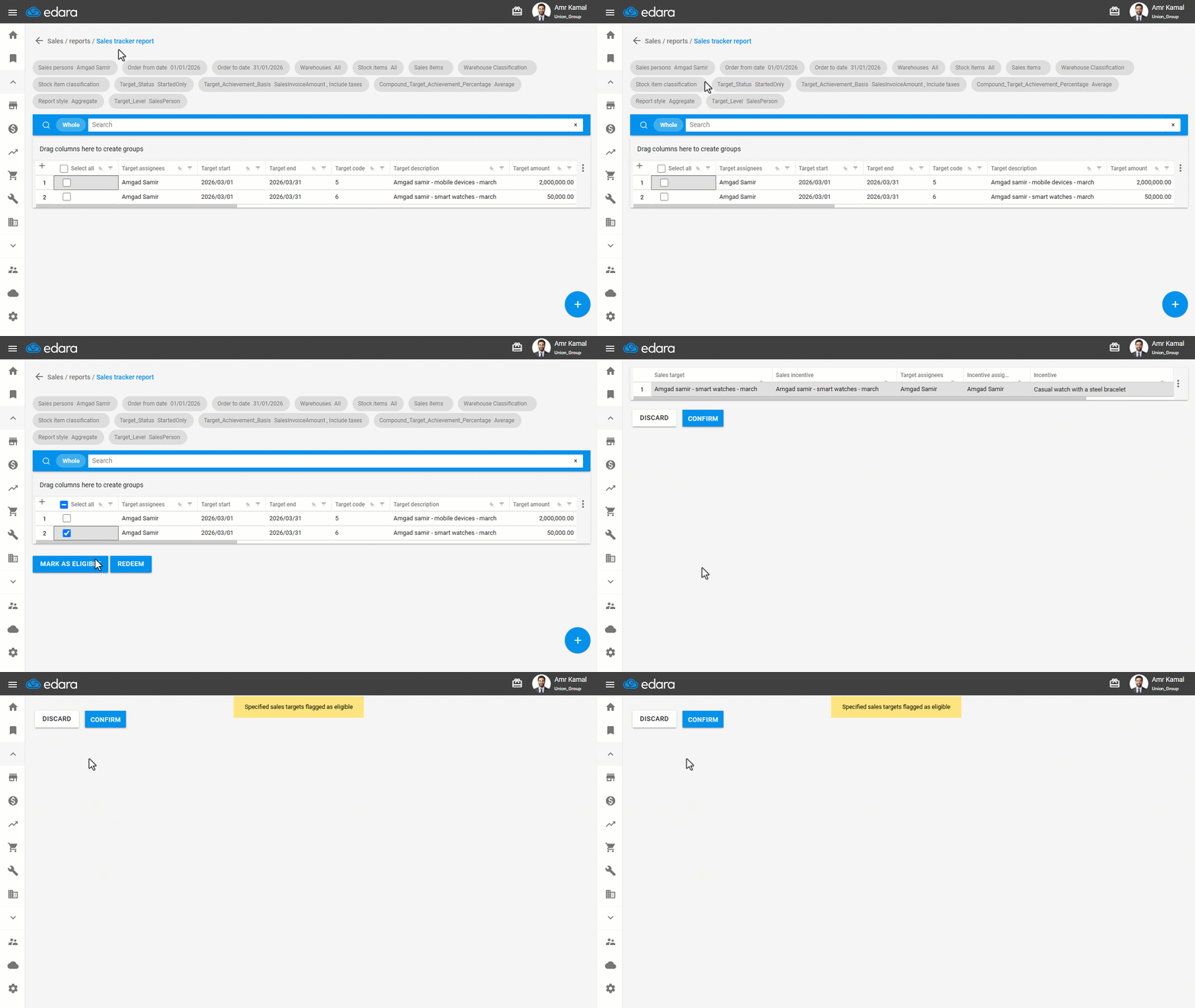
- Select the required target or targets from the report results.
- Click on "Mark as eligible" to approve the incentive associated with the selected target.
You will be redirected to a results page displaying the target details, the linked incentive, the achievement percentage, and the beneficiary salesperson.
- Click on "Confirm".
Note: The approval screen is displayed only if an incentive is linked to the selected target and has not been approved previously.
Paying an Incentive
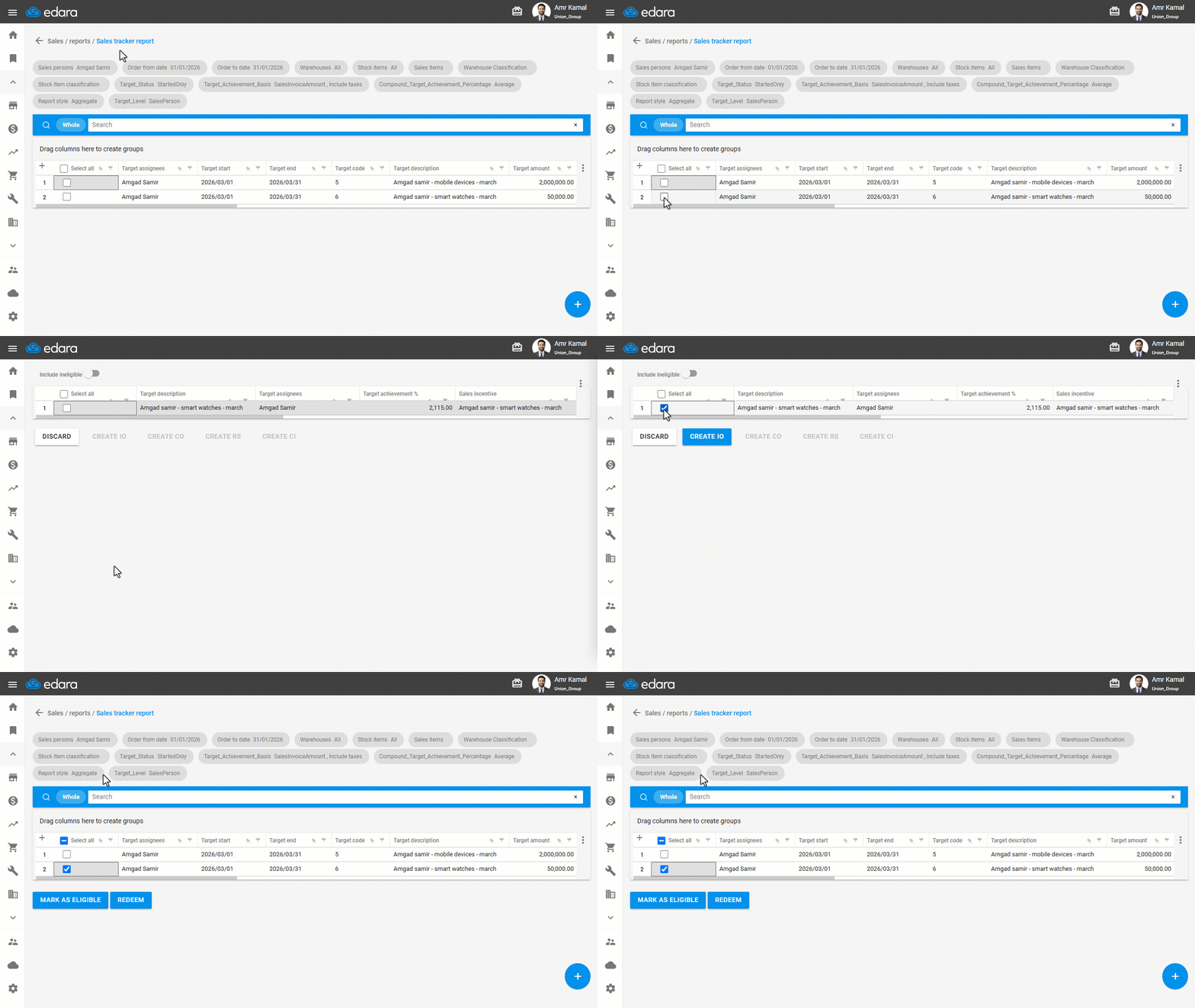
- Select the target again from the report results.
- Click on "Redeem" to pay the incentive.
You will be redirected to the incentive execution page, which displays the target details and the linked incentive.
- Select the incentive you want to execute from the available list.
The available creation options will appear based on the incentive type.
- Choose the appropriate option to complete the incentive execution, such as "Create IO", "Create CO", "Create RS", or "Create CI".
Note: You can enable the "Include ineligible" option to display targets whose incentives have not yet been executed.
Frequently asked questions
When does the incentive approval screen appear?
The approval screen is displayed only if an incentive is linked to the selected target and has not been approved previously.
How do I show targets whose incentives have not been paid yet?
You can enable the "Include ineligible" option to display targets whose incentives have not yet been executed.
If you encounter any challenges or have questions during these processes, you can contact our technical support team, who are ready to assist you at any time.