

Creating a Sales Incentive and Linking It to a Sales Target
Last updated:
Sales managers need to motivate their team to increase productivity and hit their sales targets. A well-structured incentive encourages team members to perform better and stay engaged. Edara allows you to create a sales incentive and link it to one or more sales targets.
Here’s how to do it.
Creating a Sales Incentive and Linking It to a Sales Target
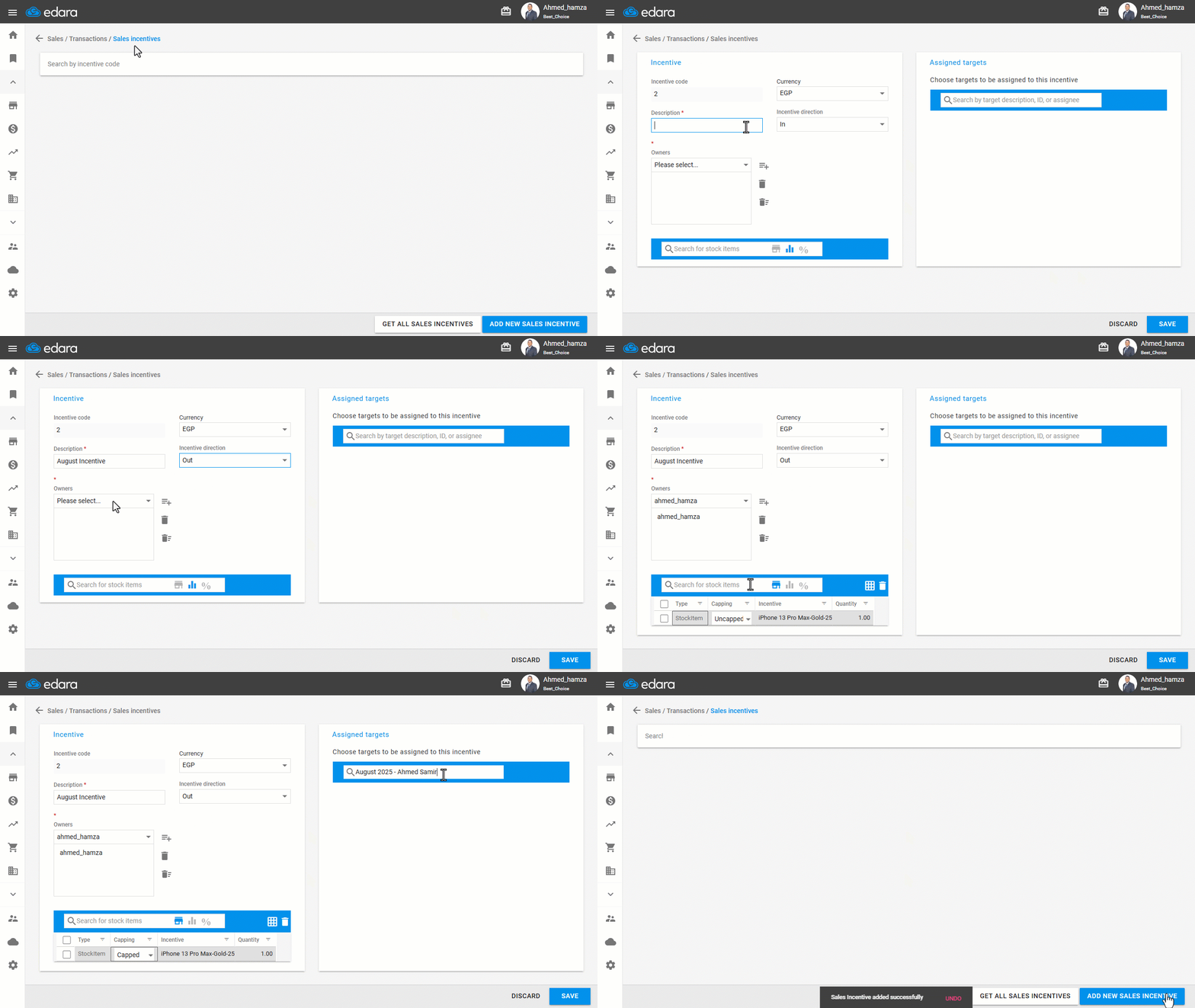
Once you've created the sales target, follow these steps:
- Go to the Sales module.
- Open the “Sales Incentives” page.
- Click on “Add New Sales Incentive”.
- Enter a description and select the currency.
- Set the Incentive Type to: “Out”.
- Assign the Incentive Owner (who can edit or delete it).
- Choose the Incentive Method.
You’ll see three available methods to choose from:
- Stock Item "
 ": The incentive consists of a specific quantity of selected items granted to the eligible employee.
 - Amount "
 ": A predefined cash reward.
 - Percentage "
 ": A percentage of the actual sales achieved by the responsible.
For each method, you must also specify the target type:
- Progressive: Increases as the target achievement percentage increases.
- Fixed: The incentive remains constant regardless of performance level.
- Link one or more Sales Targets to this incentive (You must specify the salesperson assigned to each target).
- Click on “Save” to complete the process.
If you encounter any challenges or have questions during these processes, you can contact our technical support team, who are ready to assist you at any time.
Did this answer your question?