

Creating a New Customer in POS
Last updated:
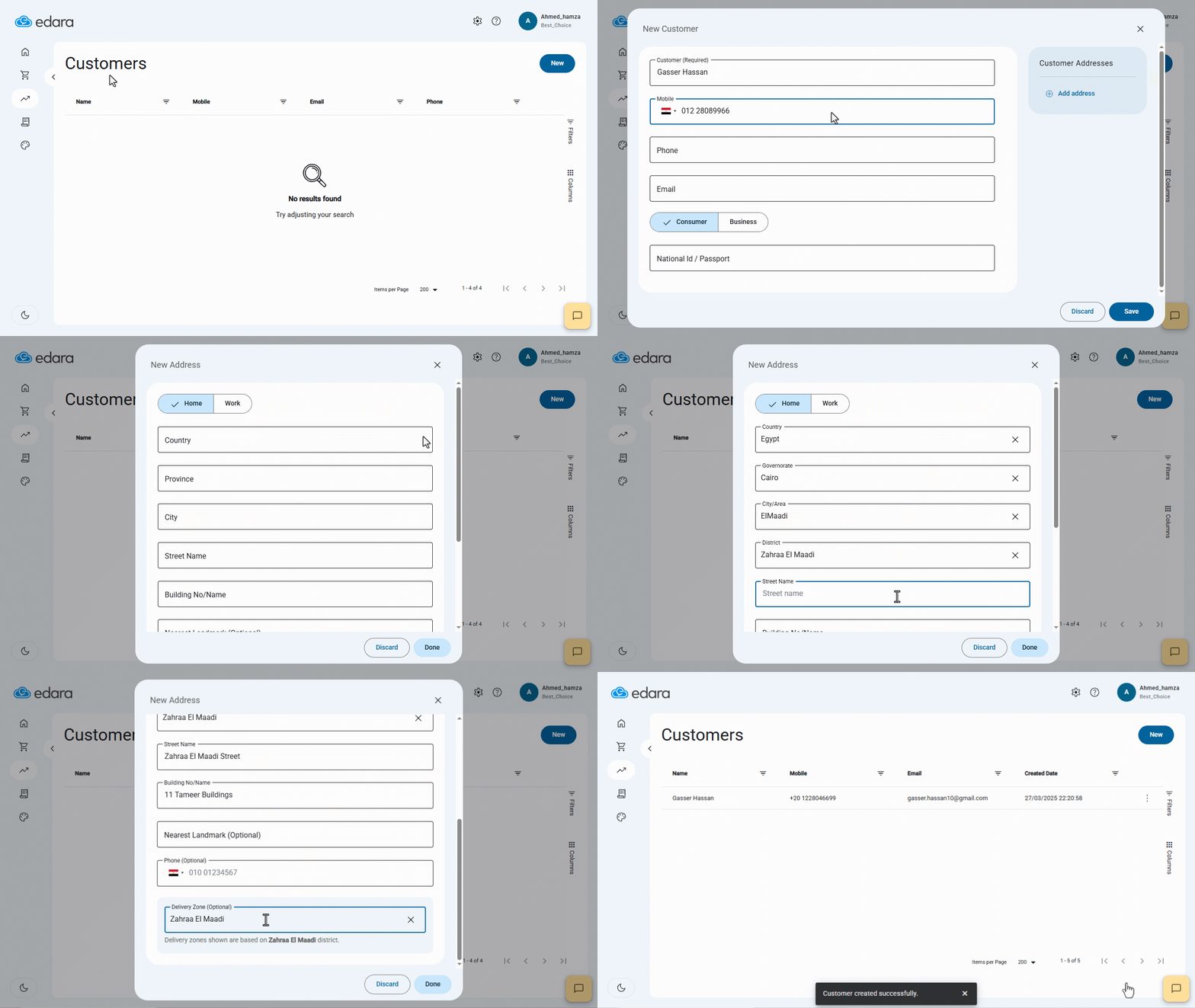
Customer registration allows you to track all financial transactions related to each customer (such as sales orders).
Creating a New Customer in POS
- Go to the Point of Sale module.
- Open the “Customers” page.
- Click on “New”.
- Enter the customer's name.
- Enter the mobile number.
- Enter the email address.
- Select the customer type (Consumer - Business).
- Add the customer’s address.
- Click on “Save”.
If you encounter any challenges or have questions during these processes, you can contact our technical support team, who are ready to assist you at any time.
Did this answer your question?