

Issuing a Sales Order Created from a Sales Store
Last updated:
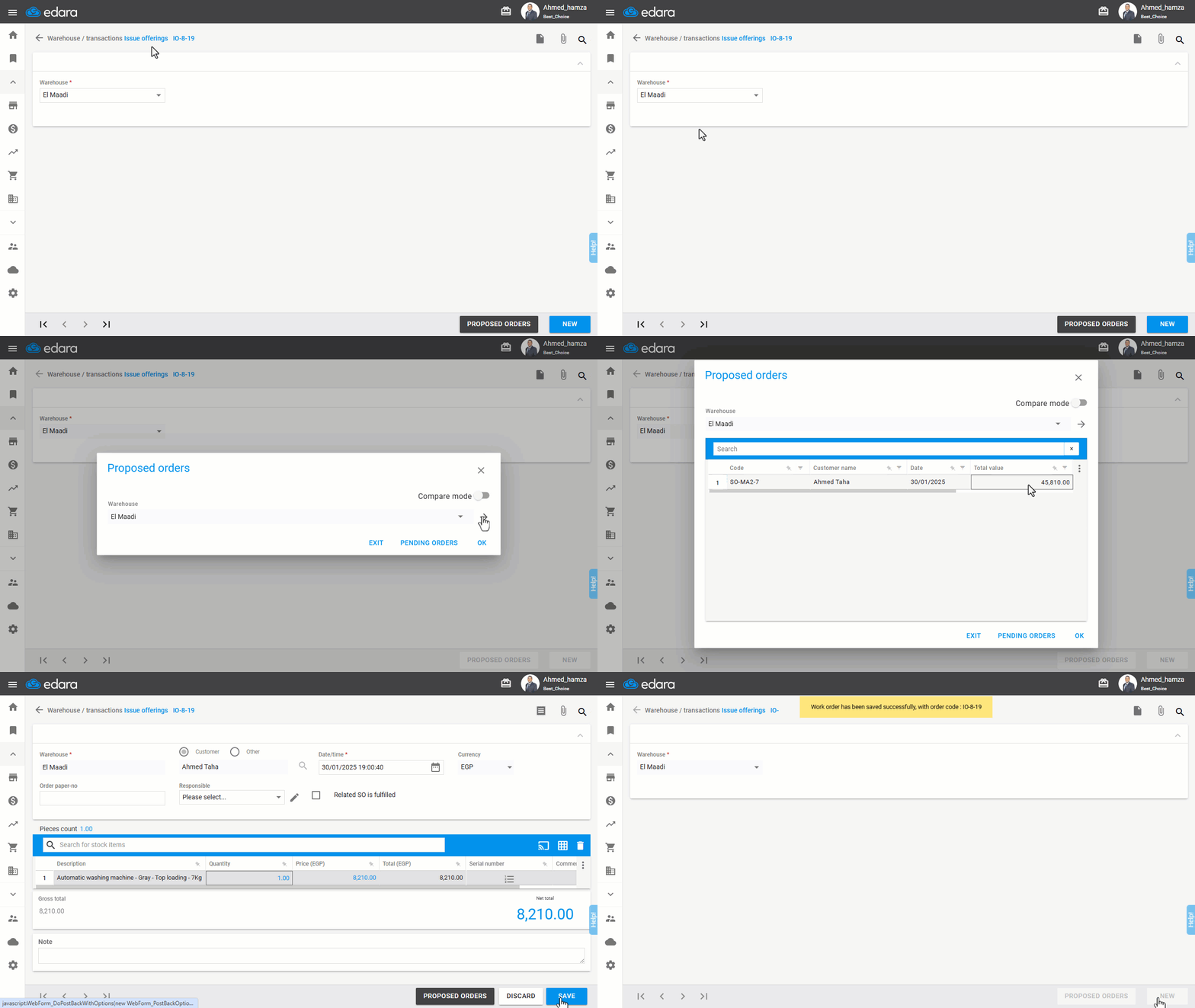
If you need to Issue a sales order created by a sales store, the issue offerings document (if you are working with the approvals system) for this order will not appear in the approval page after authorization. Instead, you must review the proposed orders from the "Issue Offerings" page, where you can search for the sales order to be issued.
Issuing a Sales Order Created from a Sales Store
- Go to the Warehouse module.
- Open the “Issue Offerings” page.
- Select the required warehouse.
- Click on "Proposed Orders".
- Click on "→".
- Search for the sales order to be issued.
- Double-click on the sales order.
- Click "Save".
If you encounter any challenges or have questions during these processes, you can contact our technical support team, who are ready to assist you at any time.
Did this answer your question?