

Displaying the customer's email on the Issue Offerings page
Last updated:
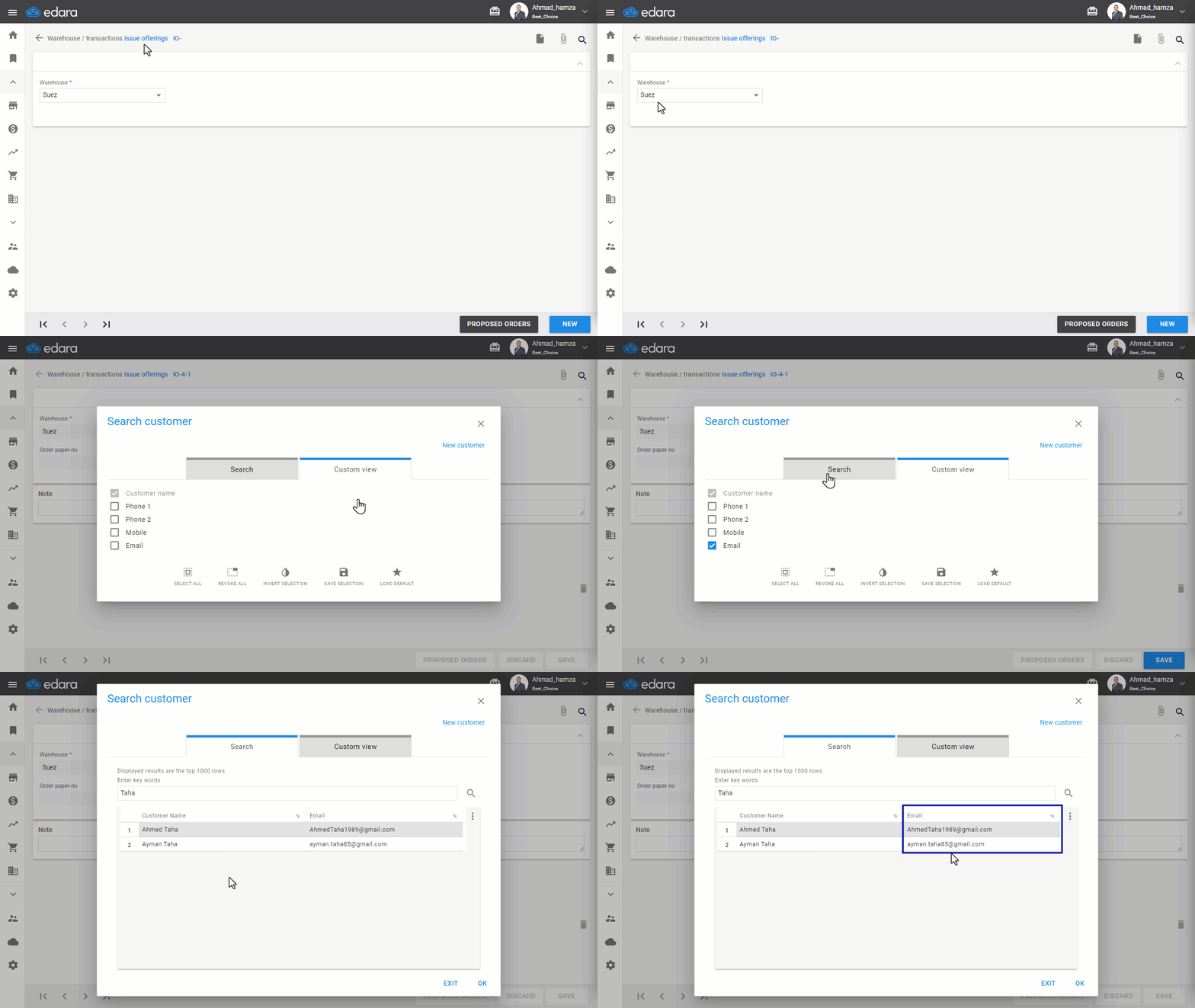
If a customer makes a purchase and later wants to return an item, or if someone is reviewing sales orders with the email field set as mandatory, displaying the customer's email on the issue offerings page simplifies the search process significantly.
This enables quicker identification and tracking of transactions, saving time and ensuring smoother operations.
Displaying the customer's email on the Issue Offerings page
- Go to the Warehouse Module.
- Open the Issue Offerings page.
- Select the Warehouse.
- Click "New".
- Click on "Custom view".
- Check the box "🔲" next to "Email".
If you encounter any challenges or have questions during these processes, you can contact our technical support team, who are ready to assist you at any time.
Did this answer your question?