

Displaying the Sales Order Summary in the Issue Offerings page
Last updated:
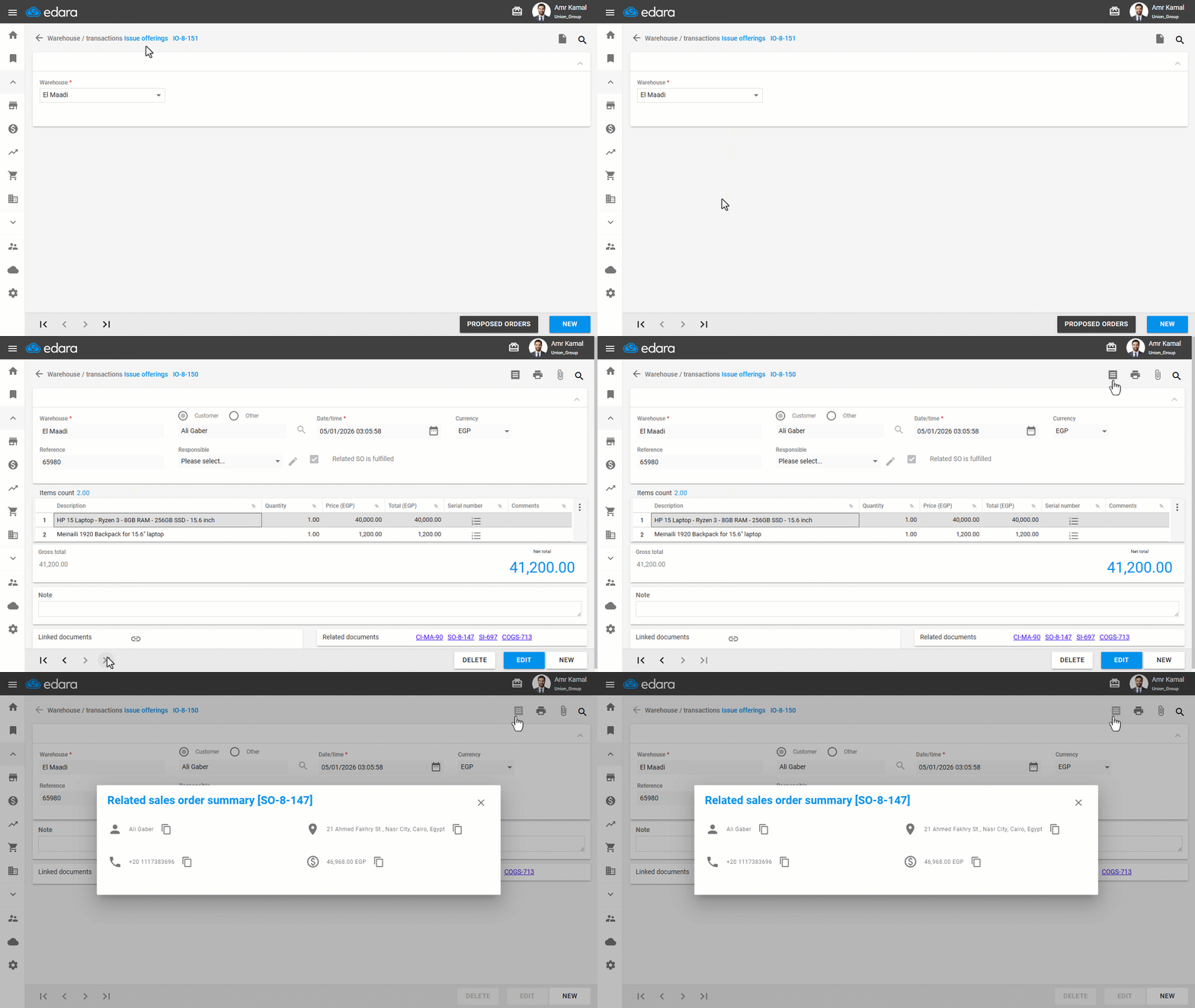
You can display a summary of the sales order and customer details directly from the linked Issue offering, including the customer name, phone number, address, and net sales order value, without needing to open the sales order.
Displaying the Sales Order Summary in the Issue Offerings page
- Go to the “Warehouse” module.
- Open the “Issue offerings” page.
- Search for the required Issue offering linked to a sales order using the “🔍” icon or the arrows at the bottom of the page.
- Click on “
 ”.
”.
A window will appear showing the related sales order summary and customer details.
If you encounter any challenges or have questions during these processes, you can contact our technical support team, who are ready to assist you at any time.
Did this answer your question?