

Granting/Revoking a User Permission to Access Edara
Last updated:
If you make any changes to the username, you have to permit him to access “Edara.”
Granting a User Permission to Access Edara
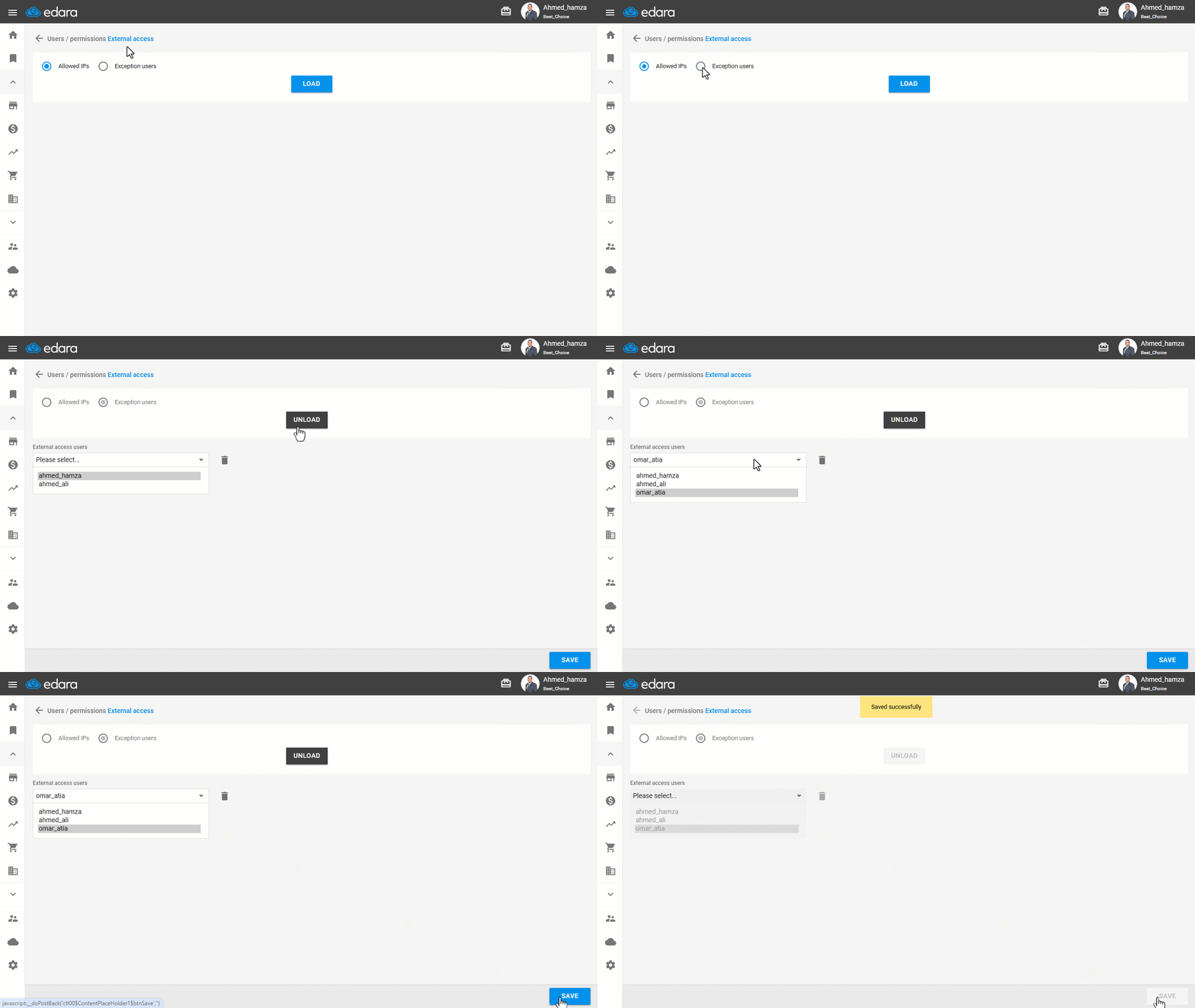
- Go to the Users module.
- Open the “External access” page.
- Choose “Exception users”.
- Click on “Load”.
- Select the username from the dropdown list, it will be added directly to the bottom of the list.
- Click on “Save”.
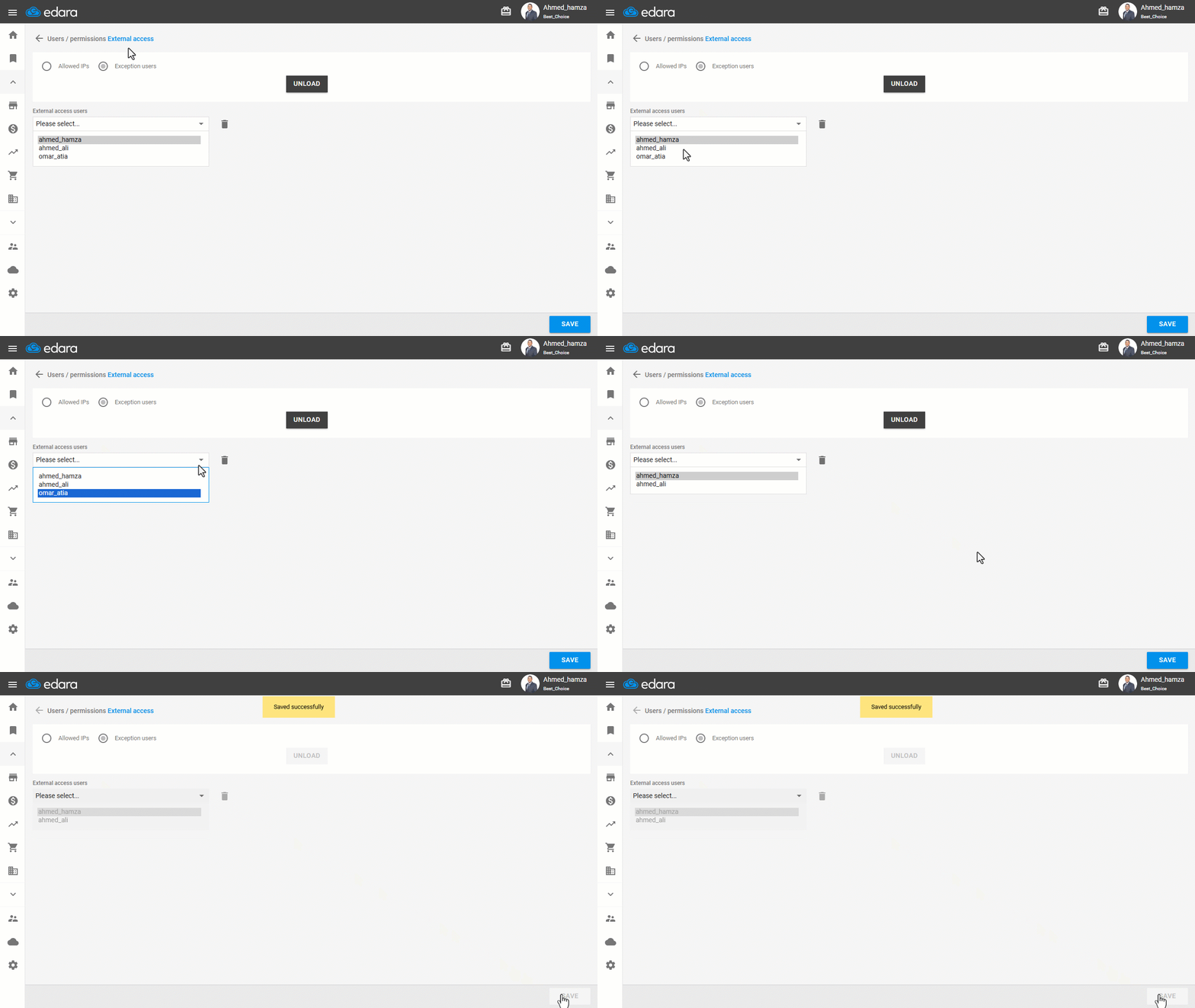
Note: You can also revoke the access from a user by selecting him and clicking  , then clicking “save”.
Frequently asked questions
How do I revoke a user’s access to Edara?
You can also revoke the access from a user by selecting him and clicking , then clicking “save”.
If you encounter any challenges or have questions during these processes, you can contact our technical support team, who are ready to assist you at any time.
Did this answer your question?