

Converting Asset Drafts to Registered Assets
Last updated:
When registering a new asset in "Edara", it is initially saved as a draft, meaning depreciation rates are not calculated.
To begin using the asset and have the system calculate depreciation, you must convert it into a registered asset.
How to Convert Asset Drafts to Registered Assets
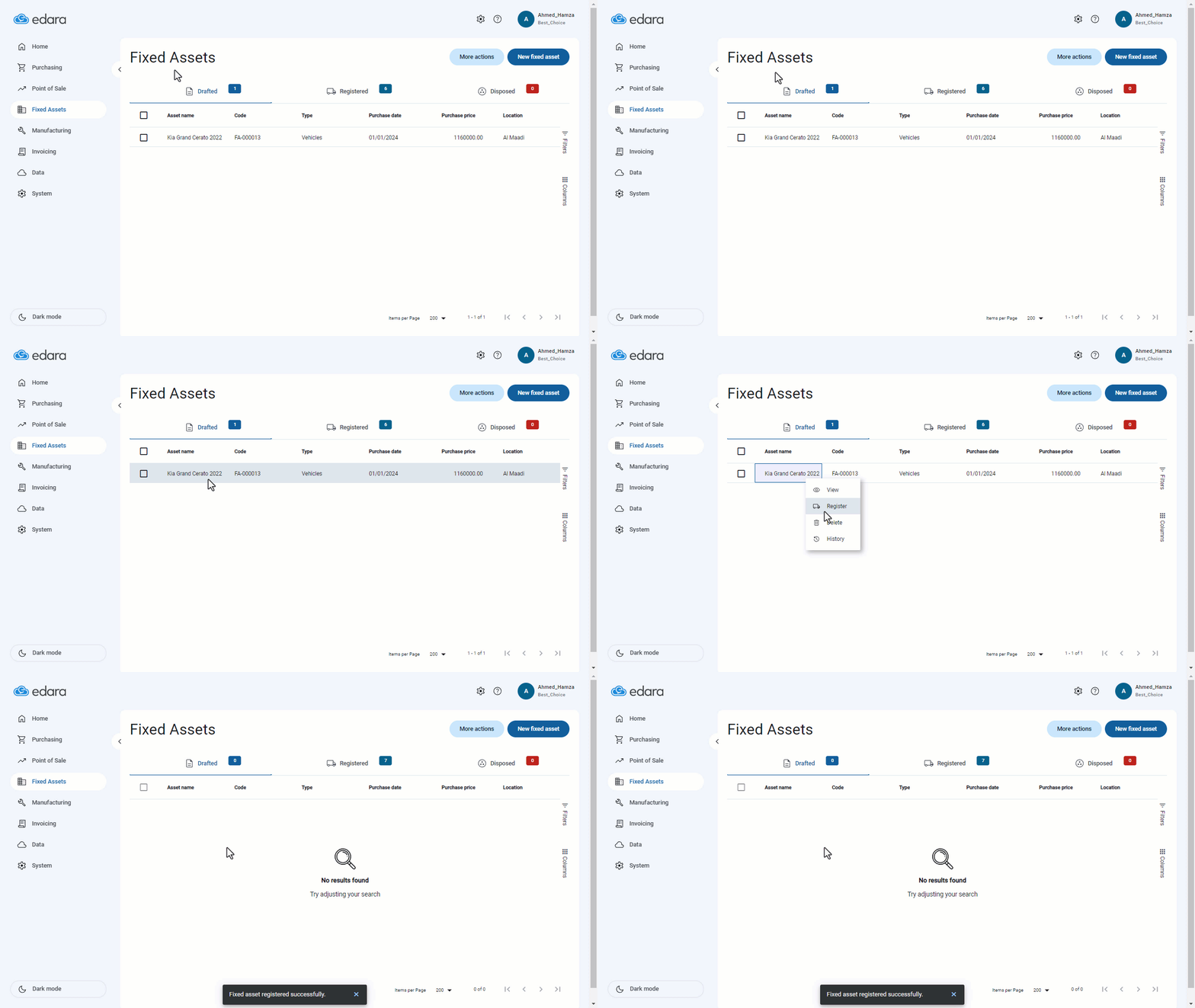
- Go to the Fixed Assets module.
- Click on “Assets”.
- Select Drafted Assets.
- Choose the asset you want to convert into a registered asset.
- Right-click on the asset and select “Register”.
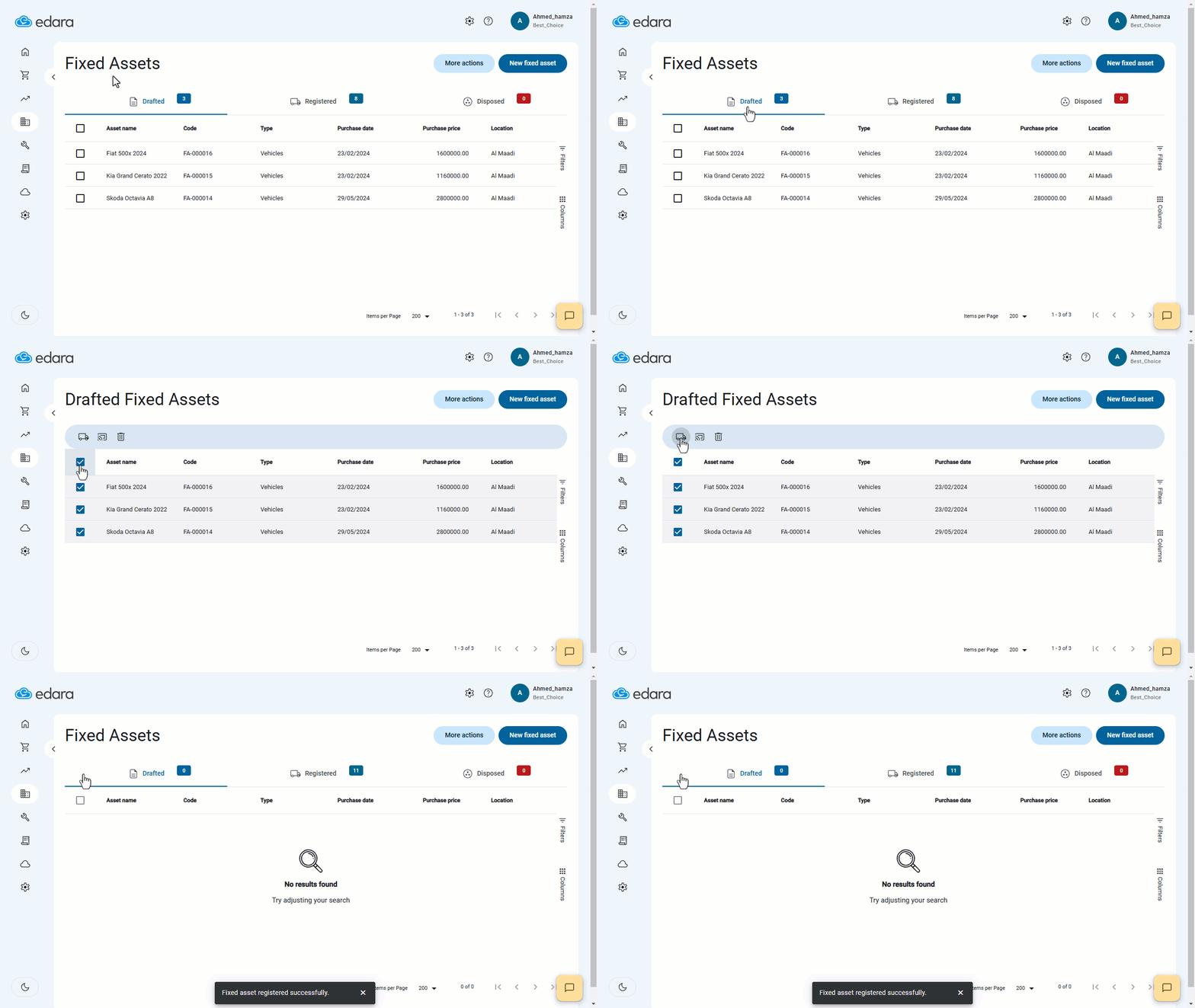
Note: If you need to register multiple assets at once, you can select them and choose the batch registration option.
If you encounter any challenges or have questions during these processes, you can contact our technical support team, who are ready to assist you at any time.
Did this answer your question?