

Creating Custom Fields for Fixed Assets
Last updated:
Sometimes, it may be necessary to record additional details about fixed assets, such as the asset's condition, maintenance date for each fixed asset in the company, and more.
In such cases, you can create custom fields tailored to your specific needs, providing flexibility in data management and improving record accuracy.
Creating Custom Fields for Fixed Assets
- Go to Settings.
- Select Fixed Assets.
- Click on Custom Fields.
- Press “New.”
- Choose the field type: Single Choice from a List.
- Enter the field name and description.
- Add the field options as shown in the image below.
- Define the field status (Optional or Required).
- Click “Save.”
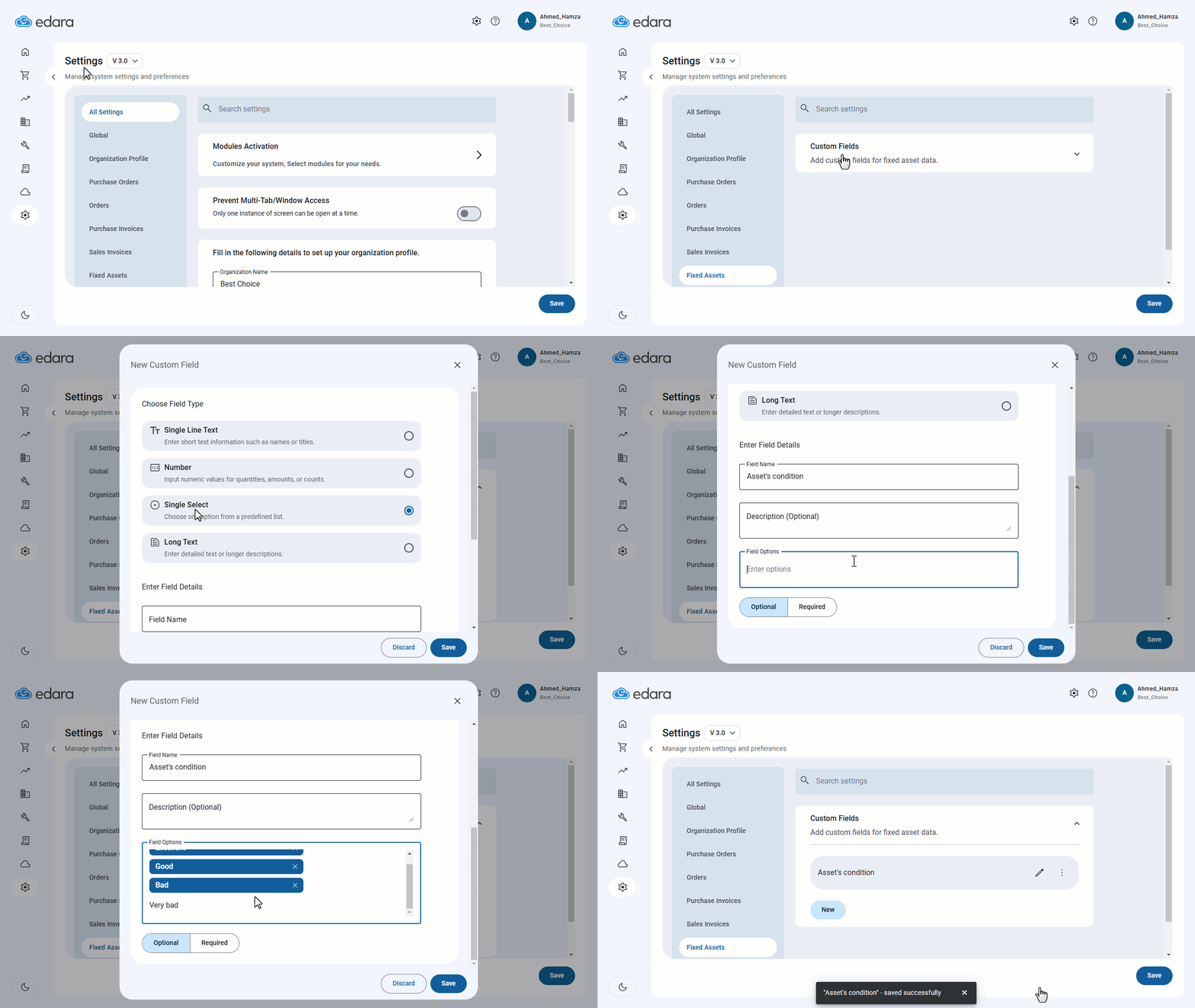
Note: "Edara" offers flexibility in custom field types, allowing you to create text fields, numeric fields, single-choice lists, or long text fields.
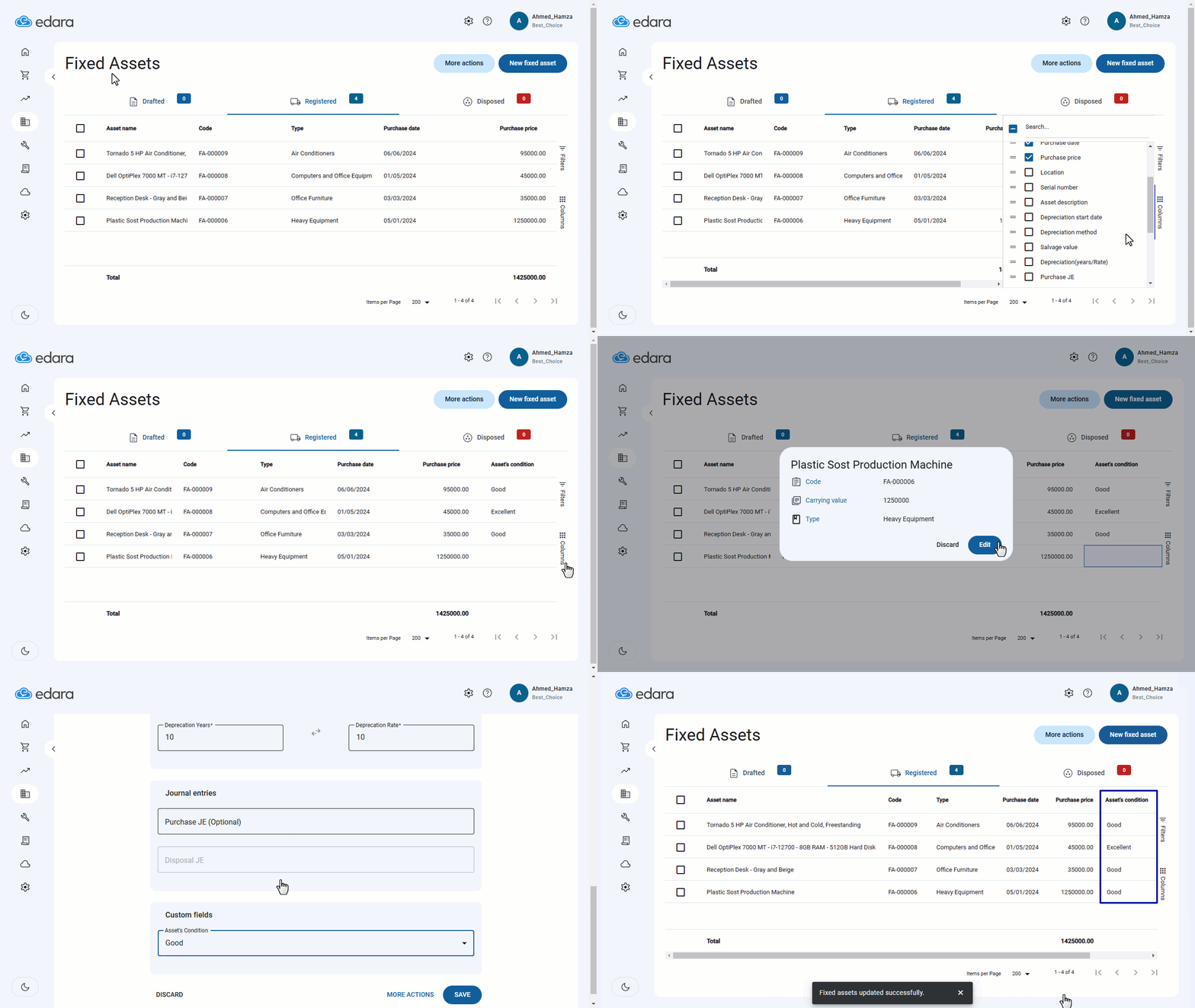
Note: You can display this field on the Fixed Assets listing page.
After that, you can enter the new data in the custom field as shown in the following image.
Frequently asked questions
What custom field types are available for fixed assets?
"Edara" offers flexibility in custom field types, allowing you to create text fields, numeric fields, single-choice lists, or long text fields.
If you encounter any challenges or have questions during these processes, you can contact our technical support team, who are ready to assist you at any time.