

Importing Purchase Persons
Last updated:
If you have multiple purchase persons and want to add them in bulk, “Edara” makes the process easier through the import feature.
Importing Purchase Persons
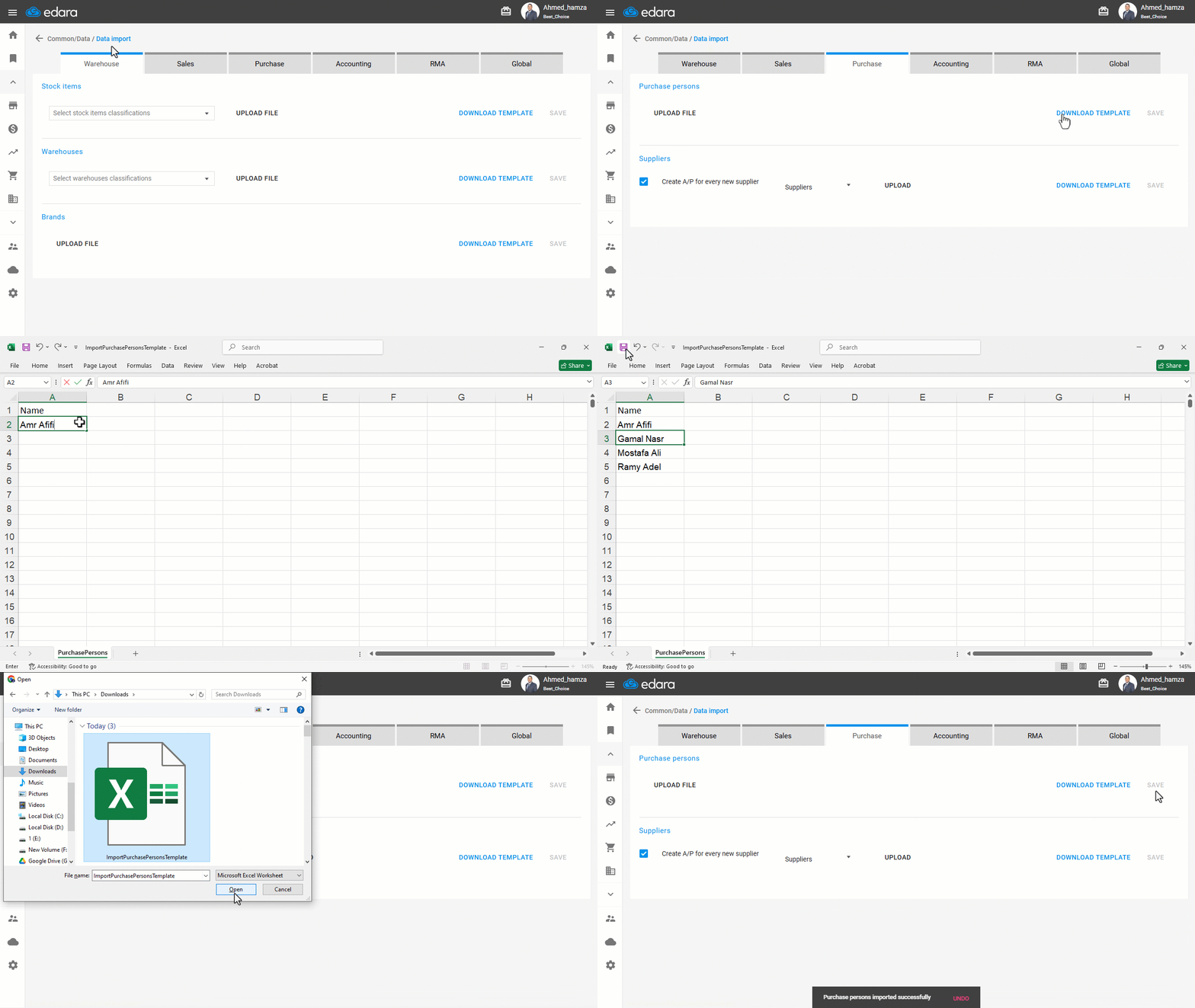
- Go to Data.
- Open the “Data Import” page.
- Choose the “Purchase” module.
- Click on “Download Template”.
- Open the Excel file and enter the names of the purchase persons.
- Click on “Upload File” to import it back into the system.
- Select the file containing the purchase persons’ data.
- Click on “Save”.
If you encounter any challenges or have questions during these processes, you can contact our technical support team, who are ready to assist you at any time.
Did this answer your question?