

Reactivating Stock Items
Last updated:
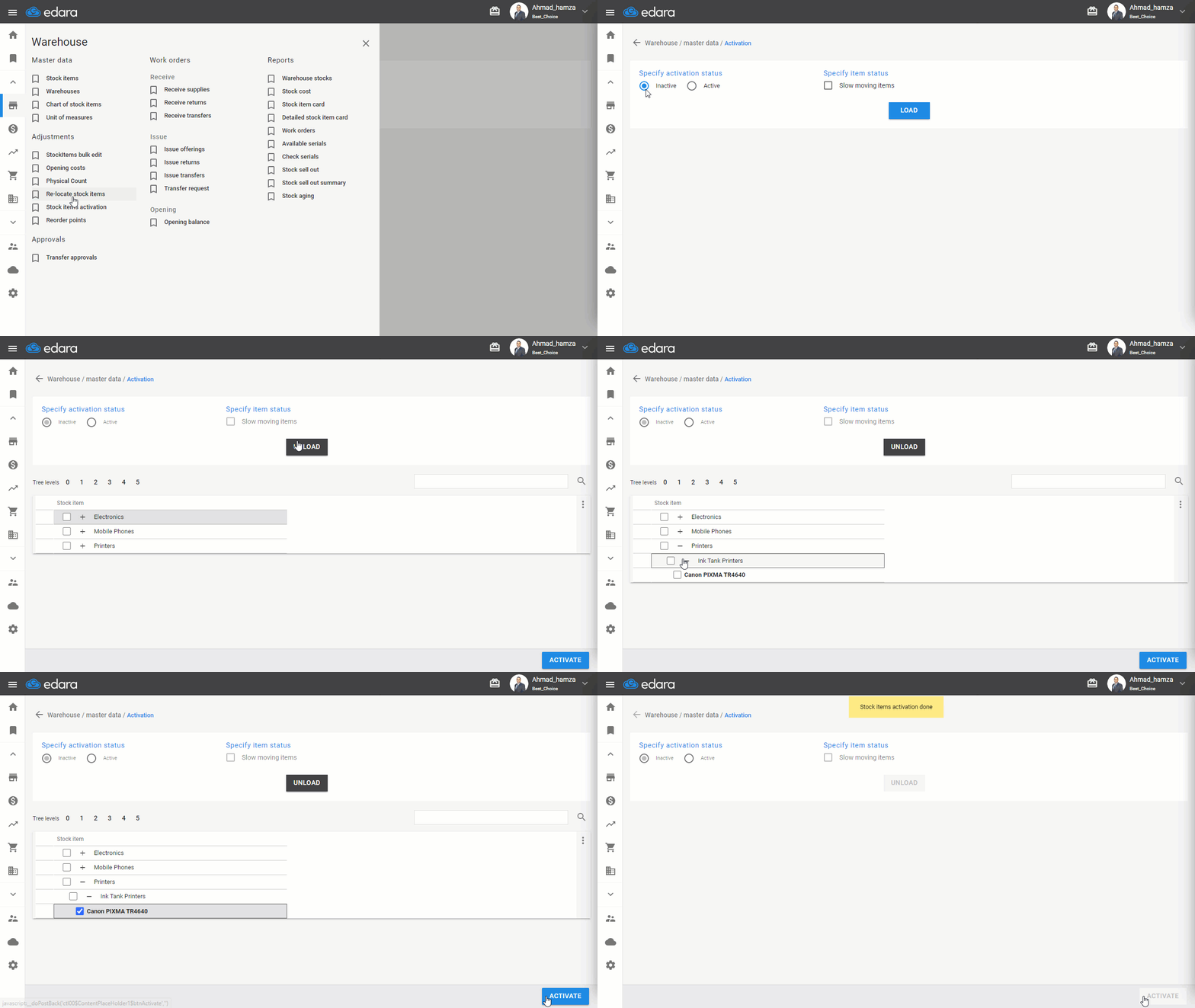
If you want to reactivate some inactive items and perform transactions on them again, you can easily do so.
Reactivating Stock Items
- Go to the Warehouse module
- Select "Stock items activation"
- Specify activation status (Inactive)
- Click on "Load”
- Search for the item(s) you want to activate using the 🔎 icon and select them by clicking ▢
- Click "Activate"
If you encounter any challenges or have questions during these processes, you can contact our technical support team, who are ready to assist you at any time.
Did this answer your question?