

Creating an Opening Balance Document
Last updated:
Managing opening balances in any accounting software is a crucial step that leads to successful tracking and organization of a company's accounting processes.
In this regard, "Edara" allows easy recording of the opening balance, which enhances the quality and accuracy of accounting data.
Steps to Enter Opening Balances
- Go to the Warehouse Module.
- Select Opening Balance.
- Choose the Warehouse.
- Click on "New".
- Search for the item.
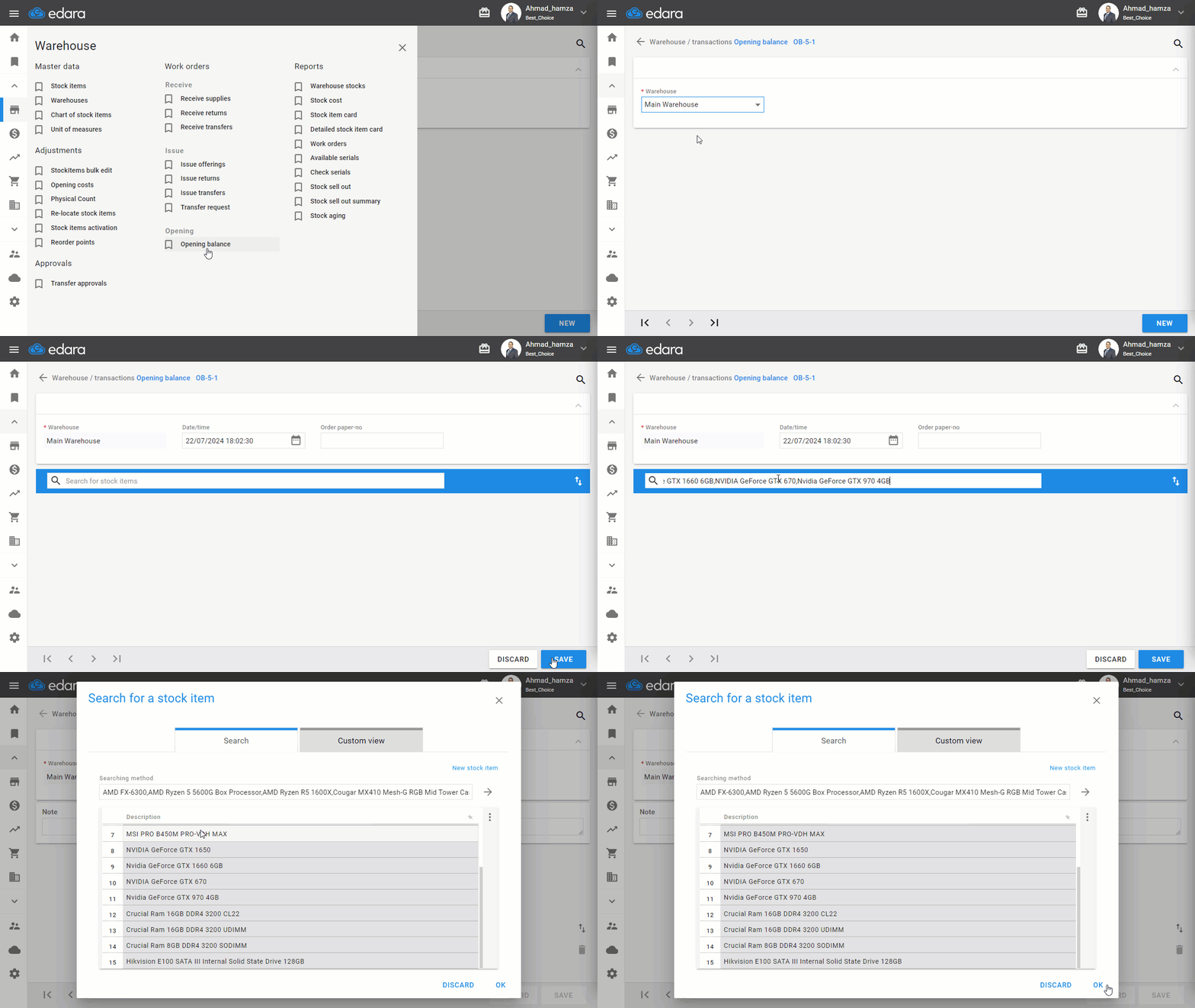
Note: If you don't remember the name, you can enter (*) in the search box to display all items.
- Select the item.
- Enter the quantity.
- Enter the serial number (if available).
- Click "Save" after completing the item entries.
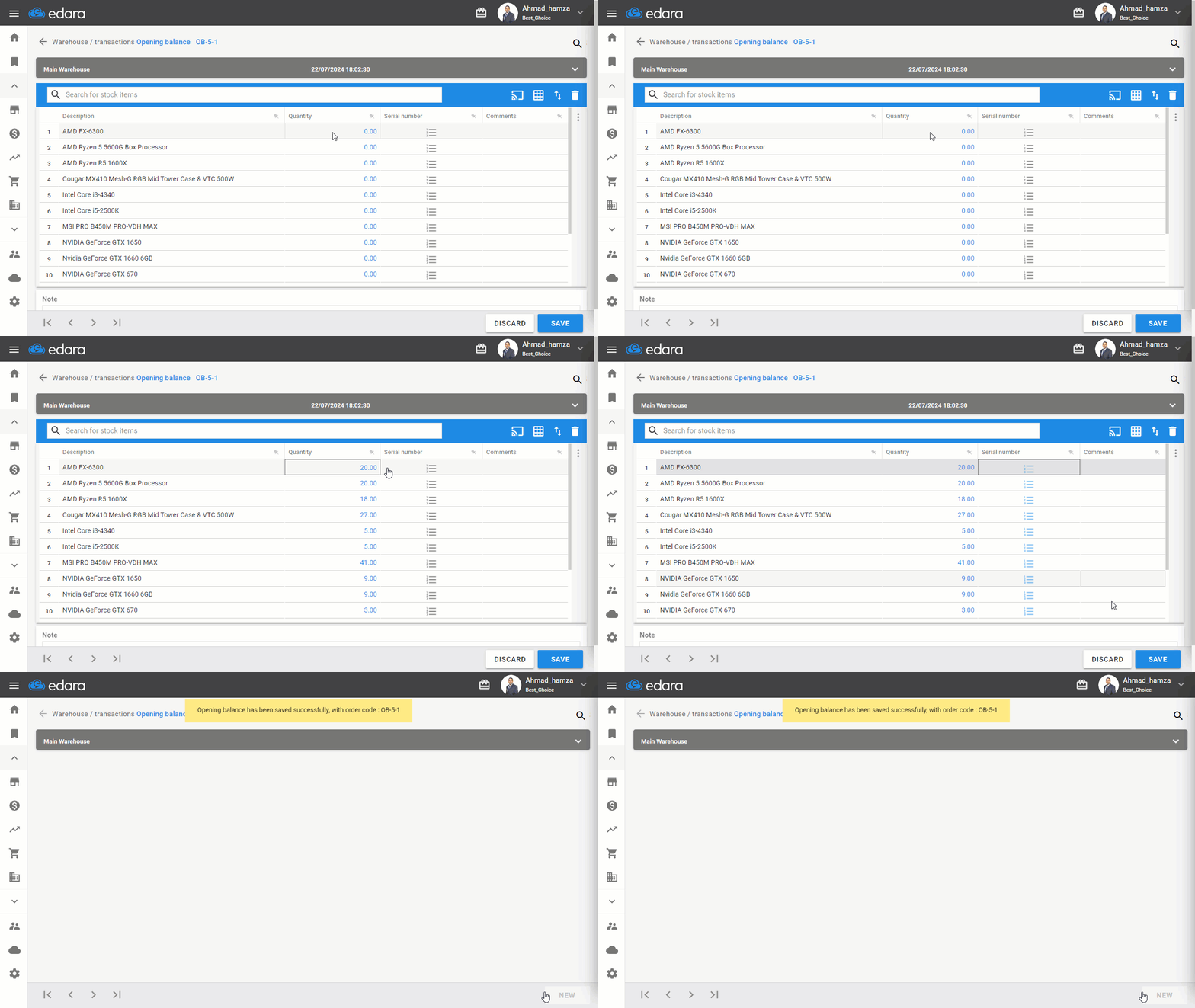
Note: "Edara" also allows entering the opening balance using Excel. You can learn more details from the article: How to import opening balance from Excel.
Frequently asked questions
How do I display all items if I don't remember the item name?
If you don't remember the name, you can enter (*) in the search box to display all items.
If you encounter any challenges or have questions during these processes, you can contact our technical support team, who are ready to assist you at any time.