

Editing and Deleting the Opening Balance of a Stock Item in a Specific Warehouse
Last updated:
If you’ve entered the opening balance for a stock item incorrectly and want to edit or delete it, you can do so by following the steps below.
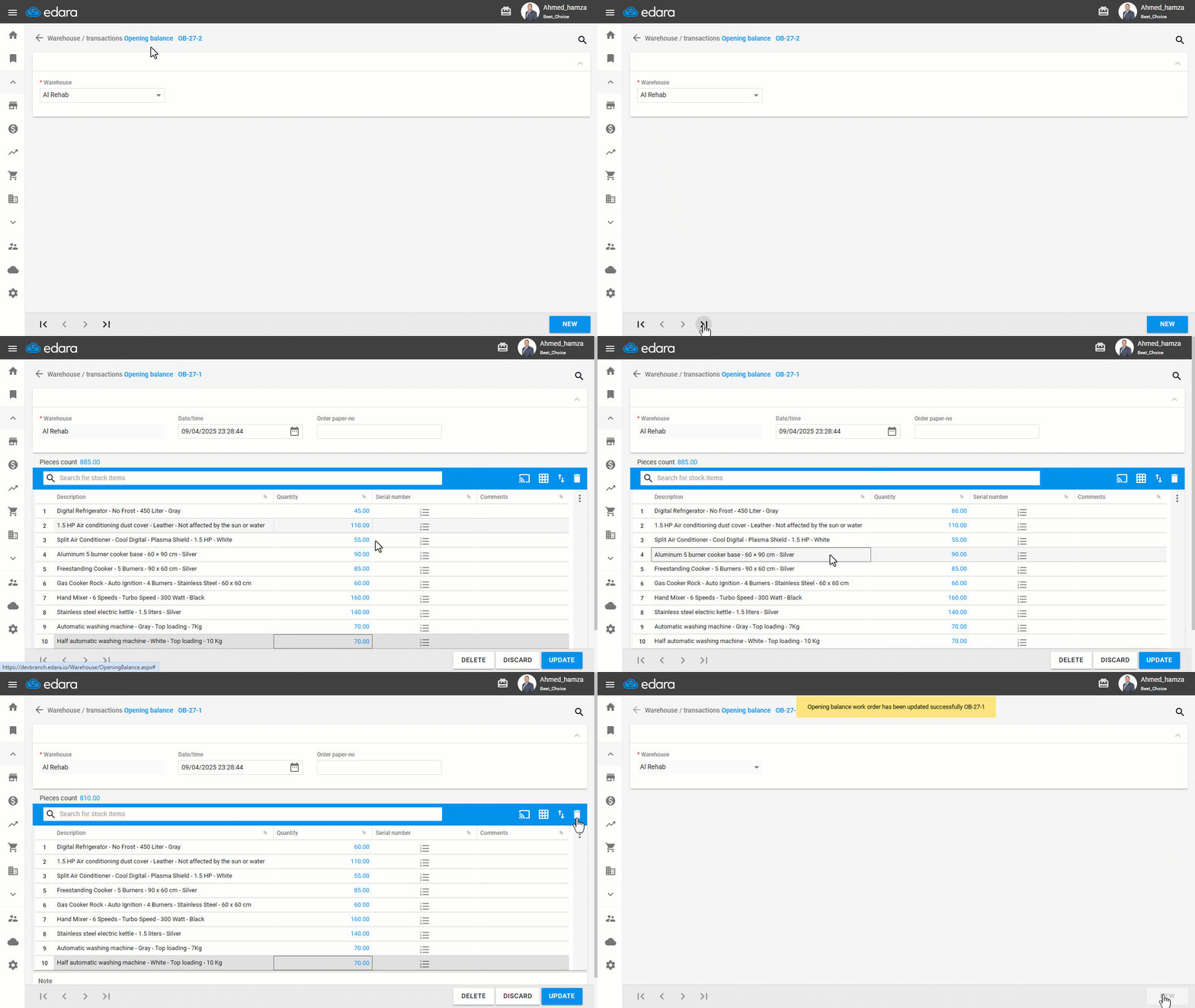
Editing the Opening Balance of a Stock Item
- Go to the “Warehouse” module.
- Open the “Opening Balance” page.
- Select the desired “Warehouse”.
- Click the arrows at the bottom of the screen “>|”.
Note: You can search for the specific opening balance entry you want to edit using the "🔍" icon.
- Click on “Edit”.
You can now update the quantity of the opening balance for any stock item, or delete the item entirely by selecting it and clicking the trash bin icon " ".
".
- Click on “Update”.
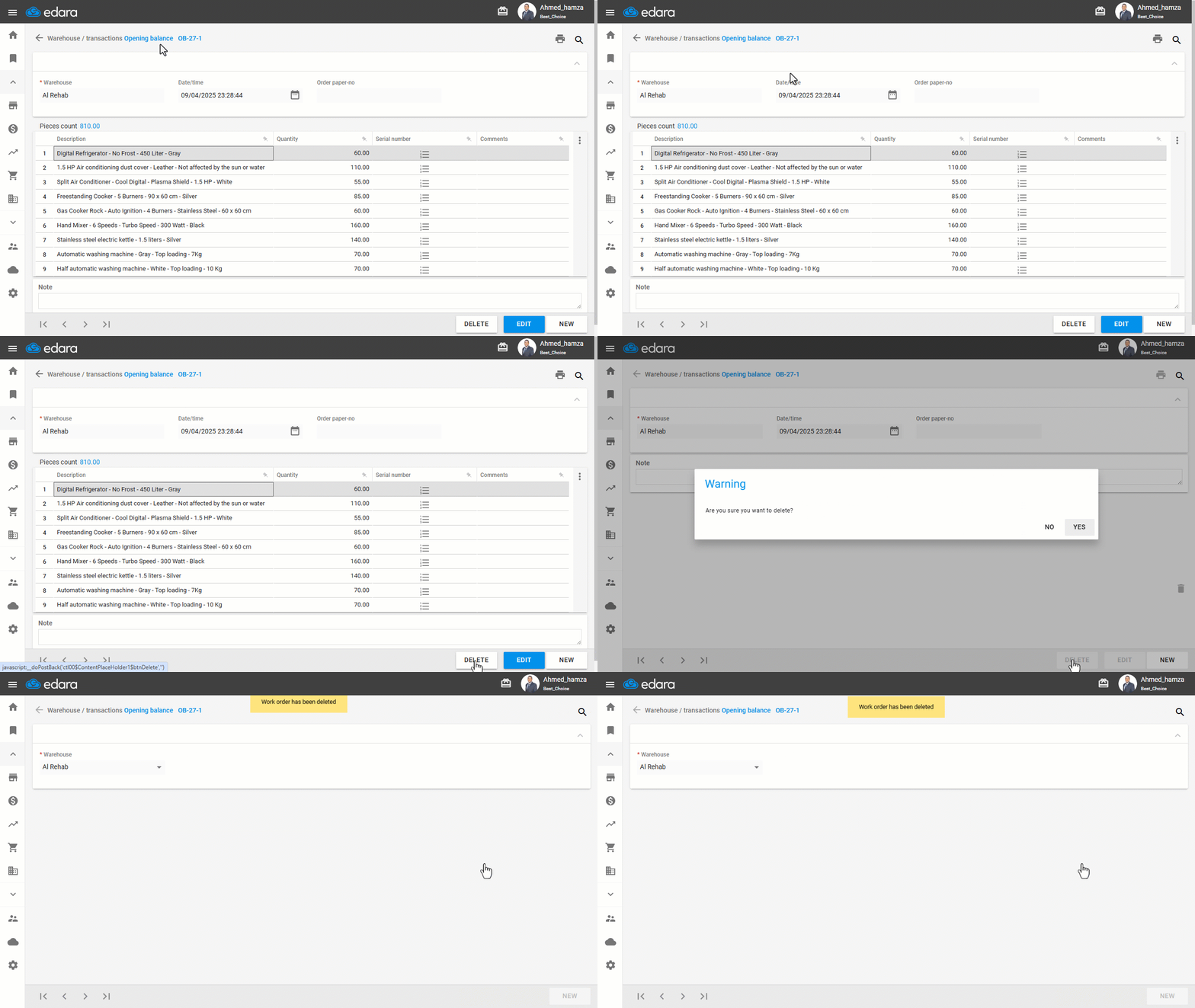
Deleting the Opening Balance of a Stock Item
You can follow the same steps as above until you reach the desired entry, then:
- Click on “Delete”.
- Click “Yes” to confirm the deletion.
If you encounter any challenges or have questions during these processes, you can contact our technical support team, who are ready to assist you at any time.
Did this answer your question?