

Analyzing Stock Item Sales by Payment Method (BI)
Last updated:
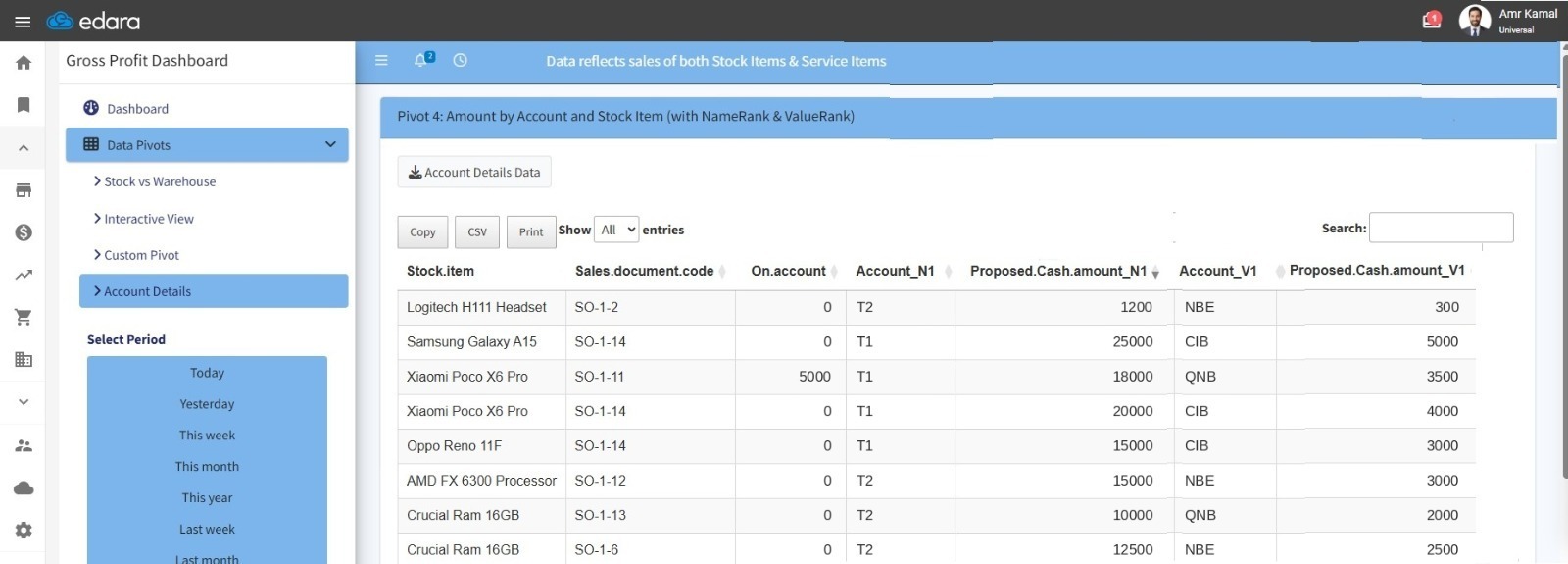
The Account Details report allows you to review stock item sales by payment method (cash, Visa, credit). The report distributes the paid amounts across the invoice lines based on the individual item's proportion of the total.
This helps you analyze each stock item's share of amounts collected by different payment methods, understand customer payment behavior, and assess the performance of collection methods at the stock item level.
Analyzing Stock Item Sales by Payment Method (BI)
- Go to the "BI" module.
- Open the "Gross Profit" page.
- Go to the “Data Pivots”.
- Go to the “Account Details” section.
- Select the required time period.
The report data will be displayed with items listed according to the financial accounts associated with the payment methods used.
If you encounter any challenges or have questions during these processes, you can contact our technical support team, who are ready to assist you at any time.
Did this answer your question?