

Displaying Reorder Point Stock Items at the Warehouse Level
Last updated:
When dealing with a large number of stock items in the warehouse, you can display stock items that have reached the reorder point in bulk, helping you quickly track shortages and decide when to restock at the proper time.
Displaying Reorder Point Stock Items at the Warehouse Level
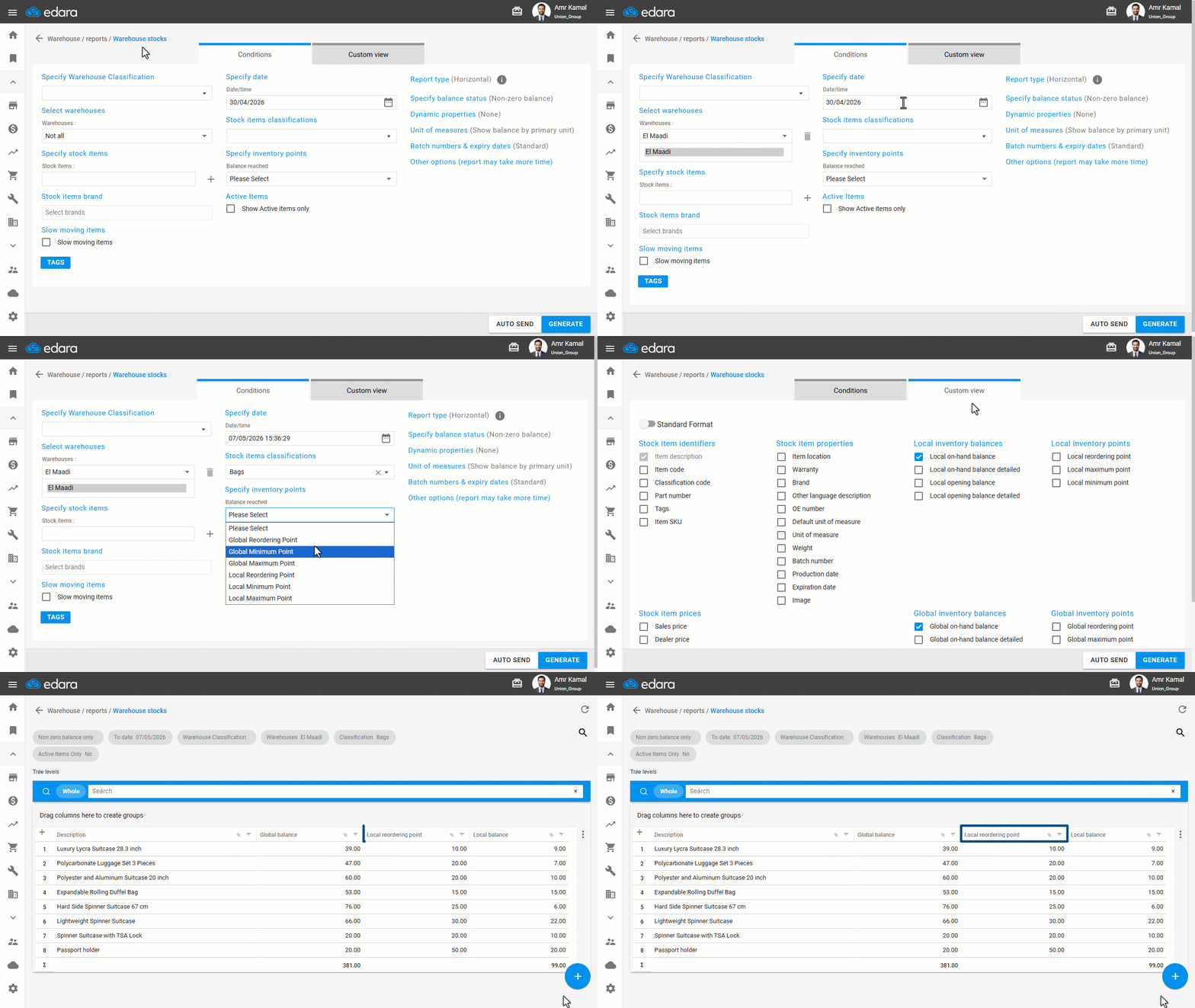
- Go to the "Warehouse" Module.
- Open the "Warehouse Stocks" Page.
- Select the warehouse.
- Specify the date.
- Select the stock item classifications.
- Choose "Local Reordering Point" From "Specify inventory points".
- Go to "Custom view".
- Enable the required columns.
- Click on "Generate".
If you encounter any challenges or have questions during these processes, you can contact our technical support team, who are ready to assist you at any time.
Did this answer your question?