

Exporting Sales Orders from the E-Envoice Integration Page
Last updated:
When reviewing or matching sales orders with the E-invoice Portal, you might need to export all documents at once rather than handling each page individually.
Exporting Sales Orders from the E-Invoice Integration Page

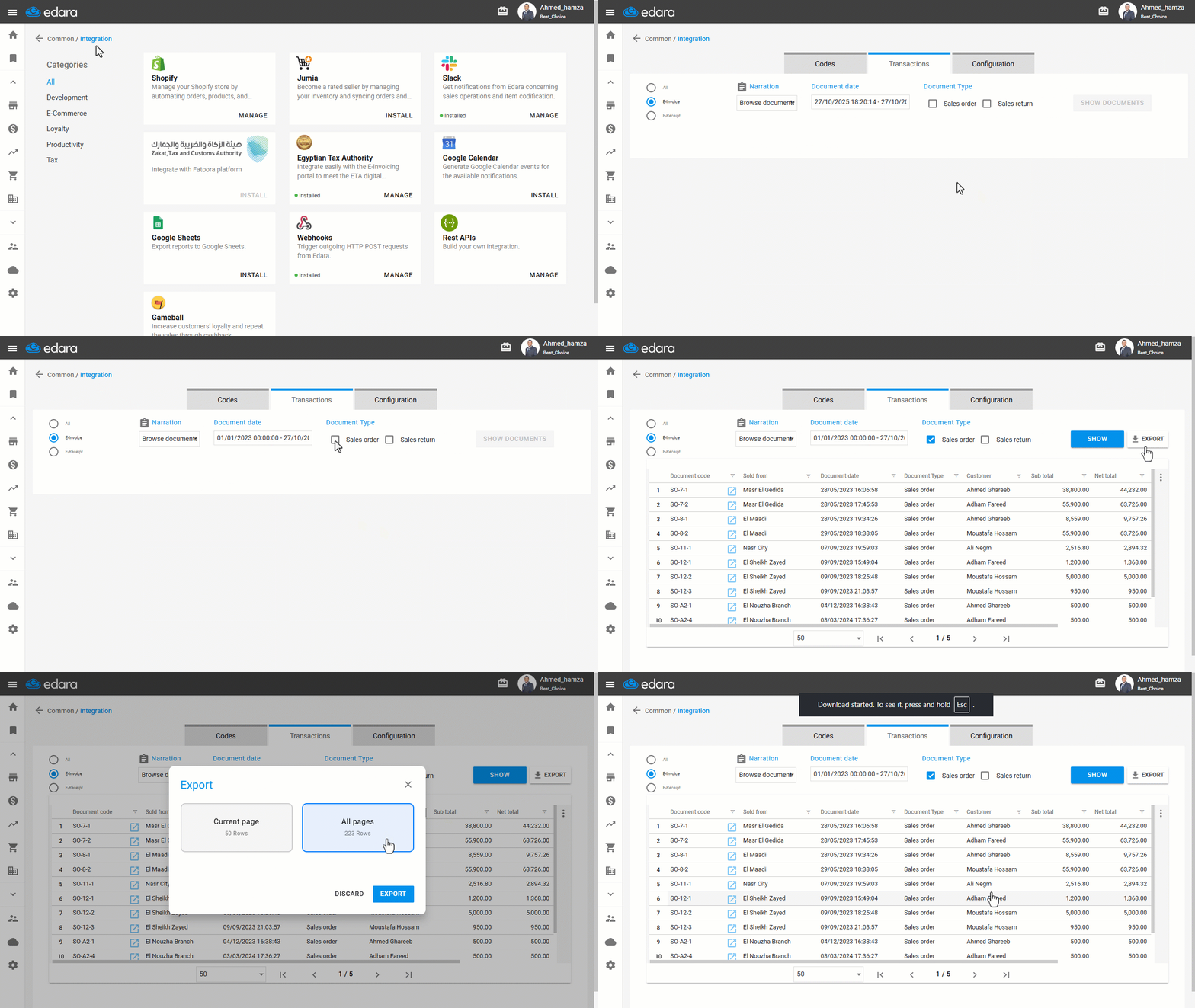
- Go to “Data”.
- Open the “Integration” page.
- Click on “Manage” below the Egyptian Tax Authority.
The default section displayed is “Transactions”.
- Select the Document Date.
- Choose the Document Type (Sales Order – Sales Return).
- Click on “Show”.
- Click on “Export”.
A window will appear with two export options:
- Current Page: Export only the documents displayed on the current page.
- All Pages: Export all available documents.
- Choose “Current Page” or “All Pages” depending on your needs.
- Click on “Export”.
If you encounter any challenges or have questions during these processes, you can contact our technical support team, who are ready to assist you at any time.
Did this answer your question?